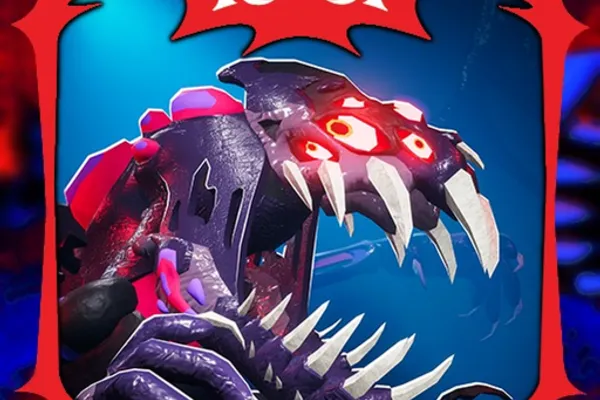
WARDEN 🐲 Sonaria Horror Escape
0by Sonar Studios
💬 Comments 0
📖 About
WARDEN 🐲 Sonaria Horror Escape is a cooperative horror escape game set in the Creatures of Sonaria universe. Players must survive a series of escalating Trials while being hunted by a mysterious threat called the Corrupted. Starting as Mylo, you'll team up with up to 7 other players to explore eerie locations filled with monsters, challenging puzzles, boss encounters, and hidden secrets that reveal the truth about what happened to Sonaria.
This game thrives on cooperation and communication. No single player can overcome the Trials alone—teamwork is essential to progress further and face increasingly formidable enemies. The monthly leaderboard resets provide ongoing incentive for competition and replayability, ensuring the challenge remains fresh. WARDEN stands out as a unique collaborative horror experience that emphasizes both survival strategy and group coordination in the Roblox platform.
🔑 Active Codes 0 working
No active codes at the moment. Check back soon!
📝 WARDEN 🐲 Sonaria Horror Escape How to Redeem Codes
- 1Step 1: Launch the game and wait for it to fully load. Once you reach the lobby or main menu screen, you're ready to proceed.
- 2Step 2: Look for a 'Codes' button or icon, typically located in the bottom left or top right corner of the screen. It may appear as a gift box icon or labeled clearly as 'Codes'.
- 3Step 3: Click on the Codes button to open the code redemption interface. A text input field will appear where you can enter valid codes released by the WARDEN developers.
- 4Step 4: Carefully type or paste the code into the input field exactly as provided, then press 'Submit' or 'Enter' to validate the code.
- 5Step 5: If the code is valid, your reward will be granted immediately. Invalid or already-used codes will display an error message.
- 6Step 6: Check your inventory or rewards section to confirm you've received your reward, which typically includes in-game currency or exclusive items.
❓ FAQ
Where do I enter codes in WARDEN 🐲 Sonaria Horror Escape?
After launching the game and reaching the lobby, look for the 'Codes' button or gift box icon usually located in the bottom left or top right corner of your screen. Click it to open the code redemption interface where you can paste or type your code.
My code isn't working in WARDEN. What should I do?
If a code isn't working, check: (1) Spelling and capitalization—codes are case-sensitive and must match exactly. (2) Whether you've already redeemed that code, as most codes can only be used once per account. (3) If the code has expired—limited-time codes may no longer be valid. (4) Try restarting the game or refreshing the page and attempting again.
How often are new codes released for WARDEN?
New codes are typically released during special events, major updates, or milestone celebrations by Sonar Studios. The frequency varies, but the best way to stay updated is to follow the official social media accounts and community channels where codes are announced first.
Are WARDEN codes free? What rewards do they give?
Yes, all codes are completely free to redeem. Rewards typically include in-game currency, cosmetic skins, or gameplay boosts that enhance your experience but aren't essential to progress. While codes aren't necessary to enjoy the game, they're a nice bonus whenever available, so it's worth using them when you find them.