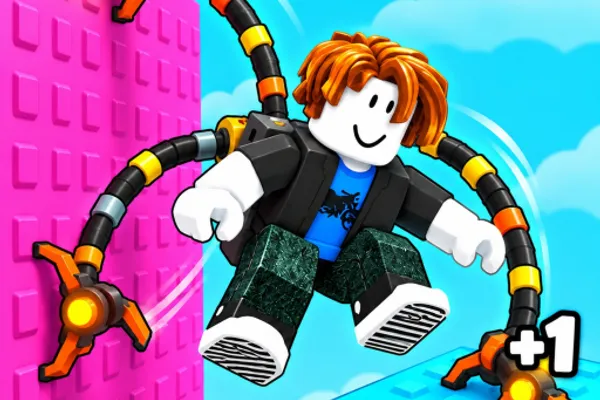
+1 Spider Arm🕷️
0by This Time For Sure
💬 Comments 0
📖 About
+1 Spider Arm is a unique physics-based platformer where you pilot a massive mechanical spider arm to navigate through 13 wild stages. By holding the spacebar, you'll climb walls, cling to ceilings, and swing across treacherous gaps using the spider arm's distinctive movement mechanics. The game's defining feature is its grip system—your grip drains while hanging on surfaces, and when it depletes, you plummet, making every movement a calculated risk.
As you train and level up, your spider arm gains additional limbs, with each new arm boosting your movement speed and grip strength. More arms mean you can tackle increasingly complex stages across diverse environments like rooftops, sand canyons, and volcanic regions. With 13 progressively challenging levels, +1 Spider Arm demands both quick reflexes and strategic thinking, offering a refreshingly different take on the platformer genre that rewards practice and mastery of its unconventional control scheme.
🔑 Active Codes 0 working
No active codes at the moment. Check back soon!
📝 +1 Spider Arm🕷️ How to Redeem Codes
- 1Step 1: Search for '+1 Spider Arm' on Roblox and launch the game.
- 2Step 2: Once the game loads and you're in gameplay, locate the menu button (usually displayed as '≡' or a similar icon) on the left side or top of your screen and click it.
- 3Step 3: Navigate to the 'Codes' or 'Rewards' section within the menu.
- 4Step 4: When the code input field appears, carefully type in your active code and press the 'Submit' button.
- 5Step 5: If the code is valid, your reward (typically experience points or boosters) will be granted immediately, and a notification will confirm the reward in-game.
- 6Step 6: Return to gameplay with your new rewards and continue training your spider arm to level up.
❓ FAQ
Where do I enter codes in +1 Spider Arm?
After launching the game, click the menu button (usually displayed as '≡') located on the upper left or top of your screen. This will reveal options including 'Codes' or 'Rewards'—select one of these to open the code input field where you can enter your codes.
My code isn't working in +1 Spider Arm. What's wrong?
There are several possible reasons: First, verify that you've entered the code with correct capitalization and spelling—even a single character difference will cause it to fail. Second, each code can only be redeemed once per account, so previously used codes won't work again. Third, the code's validity period may have expired; always check for the latest active codes. Fourth, carefully re-check for typos and try entering it again.
How often are new codes released for +1 Spider Arm?
There's no fixed schedule for new codes, as their release depends on the developer's update cycles and events. To stay updated with the latest codes, regularly check the game's community page, official social media accounts, or the game's page on Roblox itself.
Are codes in +1 Spider Arm free to use?
Yes, all codes are completely free—there's no cost to enter them or claim the rewards. The rewards you receive from codes, such as experience points and boosters, are also free in-game benefits, so you can redeem codes without any concern.