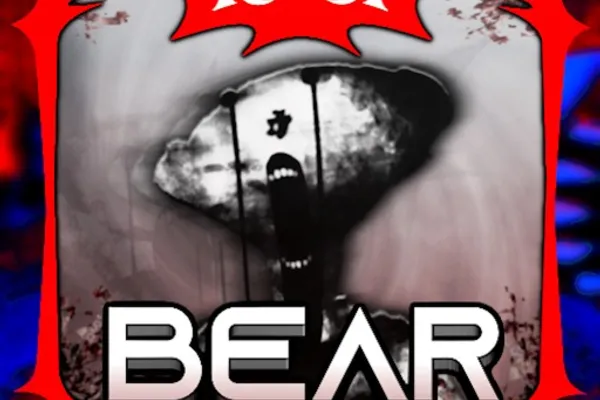
BEAR (Alpha)
0by Cheedaman
💬 Comments 0
📖 About
BEAR is a psychological thriller survival game in Roblox where players face off against a mysterious and terrifying monstrosity that appears out of nowhere. The game splits the experience between two roles: survivors who must evade and outsmart the beast, and the BEAR itself, which hunts down fleeing players with relentless determination. The core gameplay revolves around tense chase sequences, strategic hiding spots, and the constant tension of not knowing when danger will strike.
Having maintained its Alpha status for over five years with continuous updates, BEAR has accumulated hundreds of millions of plays and a devoted player base. What makes BEAR unique is its enigmatic premise—no one knows the origin of this creature or its true purpose, adding an unsettling layer of mystery to every match. The game masterfully combines simple mechanics with psychological intensity, creating an addictive experience that keeps players on edge. Whether you're running for your life or becoming the hunter, BEAR delivers the kind of heart-pounding gameplay that thrives on player interaction and unpredictability.
🔑 Active Codes 0 working
No active codes at the moment. Check back soon!
📝 BEAR (Alpha) How to Redeem Codes
- 1Step 1: Open Roblox and search for BEAR (Alpha) in the game library, then click the 'Play' button to launch the game.
- 2Step 2: Wait for the game to fully load and reach the main menu or lobby screen.
- 3Step 3: Look for the code input button, typically located on the left side or upper area of the screen. It may be labeled 'Codes', 'Promo Codes', or have a gift box icon.
- 4Step 4: Click the button to open the code input field, then carefully enter your BEAR promo code. Note that codes may be case-sensitive.
- 5Step 5: Press the 'Submit' or 'Confirm' button to apply the code.
- 6Step 6: If the code is valid, a reward notification will appear on screen and your in-game currency or items will be added to your inventory immediately.
❓ FAQ
Where do I enter promo codes in BEAR?
You can find the code input button on the main menu or lobby screen of BEAR. It's typically located on the left side or top of the screen, either labeled as 'Codes' or 'Promo Codes' or displayed with a gift box icon. Clicking the button will open a text field where you can enter your code.
My BEAR promo code isn't working. What should I do?
First, verify that you've entered the code with correct capitalization and spacing, as BEAR codes are case-sensitive. The code may have expired, so check the official BEAR community announcements and developer notes for the latest active codes. If the issue persists, try restarting the game and attempting to redeem the code again.
How often does BEAR release new promo codes?
Since BEAR has been in continuous development for over five years, new codes are released regularly. However, the exact frequency depends on the developer's update schedule. Monitor the official announcements within the game, the developer Cheedaman's social channels, and community forums like Discord for the most up-to-date code releases.
Are BEAR promo codes really free?
Yes, all BEAR promo codes are completely free and require no payment. The rewards you receive from redeeming codes—such as in-game currency or items—are also free. Keep in mind that promo codes are single-use, so once redeemed on an account, they cannot be used again.