Scare Your Neighbor
0by sc7ry sk3letons
💬 Comments 0
📖 About
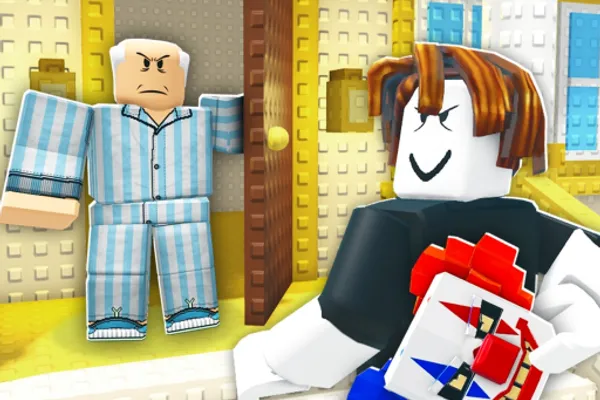
Scare Your Neighbor is a lighthearted rogue simulator where you knock on doors, terrify unsuspecting neighbors, and steal their delivery packages. What starts as simple doorbell pranks evolves into an empire-building experience as you hire minions to break down stolen goods into valuable items, then reinvest your profits into upgrading your scare abilities, training facilities, and workforce. Each successful heist brings you closer to becoming the neighborhood's most notorious prankster.
The game thrives on the satisfying loop of collection and progression. From common packages to ultra-rare finds, every item you snatch holds potential value. Your minions work as your manufacturing backbone, converting raw packages into high-value components that multiply your earnings. The genius of Scare Your Neighbor lies in its offline economy—even when you're away, your operation keeps generating income, rewarding players who take time to scale their mischievous empire. With seamless support across desktop, mobile, tablet, and console, you can terrorize neighbors whenever inspiration strikes.
🔑 Active Codes 0 working
No active codes at the moment. Check back soon!
📝 Scare Your Neighbor How to Redeem Codes
- 1Step 1: Launch Scare Your Neighbor and allow the game to fully load. Make sure you're logged into your Roblox account and viewing your base or main lobby.
- 2Step 2: Look for a 'Codes' button, typically located in the top-right or top-left corner of the screen. It may appear as a gift box icon or labeled text.
- 3Step 3: Click the Codes button to open the code redemption interface. A text input field will appear where you can enter your promotional code.
- 4Step 4: Carefully type or paste the valid promotional code into the input field, then click the 'REDEEM' button to submit it.
- 5Step 5: If the code is valid, you'll receive your reward instantly—whether it's in-game currency, minion upgrades, or progression boosters. A confirmation message will appear, and your rewards will be added to your account.
❓ FAQ
Where exactly is the code input button located in Scare Your Neighbor?
The code redemption button is typically found in the top-right or top-left corner of the game screen. It usually appears as a gift box icon or is labeled as 'CODES'. Check your main lobby or base screen—it should be clearly visible among the main UI buttons.
What should I do if a Scare Your Neighbor code doesn't work?
If a code doesn't work, it may have expired or already been redeemed on your account. Check the developer's official social media or in-game announcements for active, up-to-date codes. Make sure you're typing it exactly as shown—case-sensitive and without extra spaces—and try restarting the game if needed.
How frequently are new codes released for Scare Your Neighbor?
New codes are released based on the developer's update schedule, milestone achievements, and special events. Codes come out regularly, so following the official developer social media accounts and checking the game community are the best ways to stay informed about new releases.
Are Scare Your Neighbor promo codes free?
Yes, all official promotional codes are completely free. Simply redeem them through the in-game code menu to receive rewards at no cost. Only use codes from official developer channels and avoid suspicious third-party websites claiming to have exclusive codes.