[🔥UPD] DROPZONE
0by Dropzone Battle Royale
💬 Comments 0
📖 About
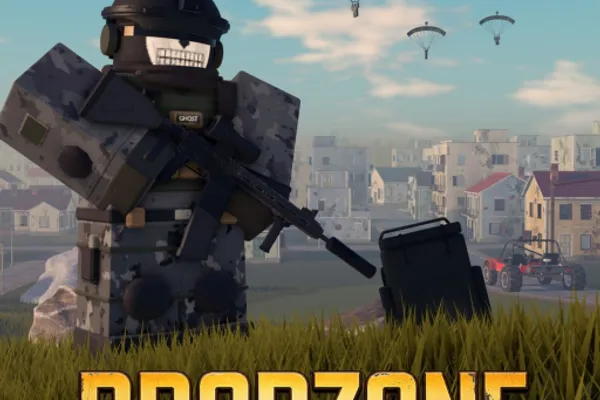
DROPZONE is an intense battle royale game available on Roblox that drops 100 players into a high-stakes survival experience. The game excels with incredibly fast matchmaking (around 15 seconds), allowing you to jump into action without lengthy waits. Choose between Solo, Duo, or Squad modes and select your preferred perspective—third-person (TPP) or first-person (FPP)—to match your playstyle.
The gameplay combines strategic looting with tactical combat. You'll encounter authentic weapons like the AKM, HK416, and SCAR-L, alongside sophisticated attachment systems featuring red dot sights, holographic scopes, and suppressors that reward careful loadout planning. Beyond weapons, you'll scavenge helmets and vests to fortify your defenses against enemy fire.
Before the real action begins, the staging island lets you warm up and prepare mentally. Once airborne, the choice of where to land becomes crucial—land in hot zones for quick combat or remote areas for safer looting. Outlast all opponents and claim victory in this fast-paced battle royale adventure.
🔑 Active Codes 0 working
No active codes at the moment. Check back soon!
📝 [🔥UPD] DROPZONE How to Redeem Codes
- 1Step 1: Click the 'Play' button on the DROPZONE game page to launch the game.
- 2Step 2: Once the game loads and you reach the lobby screen, look for a 'Redeem Code', 'Enter Code', or 'Rewards' button. This is typically located in the upper left, upper right, or accessible through a settings/menu panel.
- 3Step 3: Click the code redemption button to open the input window.
- 4Step 4: Carefully type or paste a valid promotional code obtained from official DROPZONE channels, events, or announcements.
- 5Step 5: Press the 'Confirm' or 'Submit' button to process your code.
- 6Step 6: If the code is valid, your reward (Robux, cosmetic skins, or in-game items) will be credited to your account immediately.
❓ FAQ
Where do I enter codes in DROPZONE?
Codes are redeemed in the DROPZONE lobby screen. Look for a button labeled 'Redeem Code', 'Enter Code', or similar, typically found in the upper left area or within the menu panel. The exact location may vary depending on recent game updates, so check the settings or options menu if you can't locate it immediately.
My DROPZONE code isn't working. What should I do?
First, verify that the code hasn't expired—promotional codes have limited validity periods. Double-check that you've typed the code correctly, including uppercase and lowercase letters and numbers. Remember that codes can only be used once per account, so previously redeemed codes cannot be reused.
How often do new DROPZONE codes come out?
DROPZONE releases new promotional codes regularly through seasonal updates, special events, and official announcements. To stay updated on the latest codes, follow the game's official social media accounts, join the community Discord server, or check the in-game announcements and news section frequently.
Are DROPZONE codes free to use?
Yes, all official DROPZONE promotional codes are completely free. These codes are legitimate rewards provided by the developers at no cost. You only need an active Roblox account to redeem them—no payment required.