A Bizarre Run
0by A Bizarre Run By Current.
💬 Comments 0
📖 About
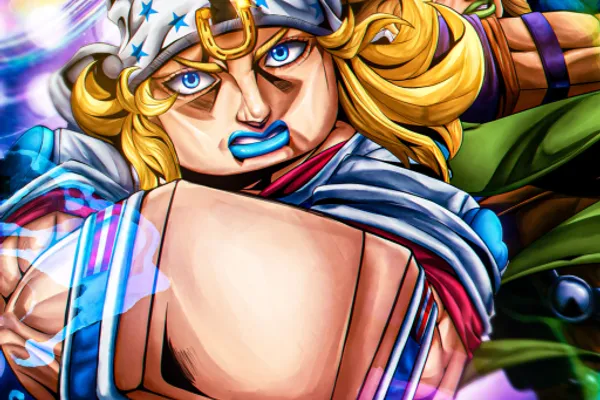
「A Bizarre Run」is a fan-made game inspired by 'Steel Ball Run,' an arc from the popular manga series JoJo's Bizarre Adventure. The game offers two distinct gameplay modes that cater to different playstyles. In 'Bizarre Run' mode, players mount horses and race across expansive maps to compete with others and secure first place in thrilling PvP races. Alternatively, 'Battlegrounds' mode shifts the focus to competitive combat where players select their Stand—unique supernatural abilities—to battle other players in intense one-on-one or group confrontations.
What sets A Bizarre Run apart is its Stand system, which allows each player to harness distinctive supernatural powers that define their combat approach. Combined with intuitive controls—galloping on horseback, activating one-time boosts, and deploying secondary items—the game blends action racing with strategic combat. The game has achieved over 10 million plays, reflecting its strong community engagement. Developers maintain player interest through periodic code releases, rewarding milestones like reaching 100,000 likes with exclusive redemption codes.
🔑 Active Codes 0 working
No active codes at the moment. Check back soon!
📝 A Bizarre Run How to Redeem Codes
- 1Step 1: Search for 'A Bizarre Run' on Roblox and launch the game. Wait for the game to fully load before proceeding.
- 2Step 2: On the main menu or lobby screen, locate the code redemption button. It's typically positioned in the upper right corner or within the main menu options, labeled as 'Redeem Code', 'Enter Code', or similar.
- 3Step 3: Click the code redemption button to open the code input interface. A text field will appear where you can paste or type the valid code you wish to redeem.
- 4Step 4: After entering the code, press the 'Submit', 'Confirm', or 'Enter' button to process your redemption request.
- 5Step 5: If the code is valid, rewards (currency, cosmetics, or items) will be instantly credited to your account. A confirmation notification will appear on screen.
- 6Step 6: If the code is invalid or already used, an error message will display. Verify the code's spelling and expiration status before attempting again.
❓ FAQ
Where do I enter codes in A Bizarre Run?
After launching the game, look for the code redemption button on the main menu, typically located in the upper right corner or within the menu options. It may be labeled 'Redeem Code' or 'Enter Code'. Click this button to open the code input window where you can paste or type your code.
My code isn't working in A Bizarre Run. What should I do?
First, verify that you've typed the code correctly, paying attention to capitalization and special characters. Check the official game announcements or social media to confirm the code is still active and hasn't expired. Some codes may have already been used or redeemed. Try restarting the game and attempting the code input again. If issues persist, the code may no longer be valid.
How frequently are new codes released for A Bizarre Run?
The developers release codes based on community milestones. For example, a code is provided when the game reaches 100,000 likes, with new codes released at subsequent milestones like 150,000 likes. To stay updated on code releases, regularly check the in-game announcements and the official social media channels of the game.
Are codes in A Bizarre Run free to use?
Yes, all codes are completely free to redeem, and the rewards you receive (currency, cosmetics, items) come at no additional cost. Codes are separate from premium purchases made with real money in the game's shop. Using codes involves no financial transaction whatsoever.