Voxel Wars
0by Voxel Front
💬 Comments 0
📖 About
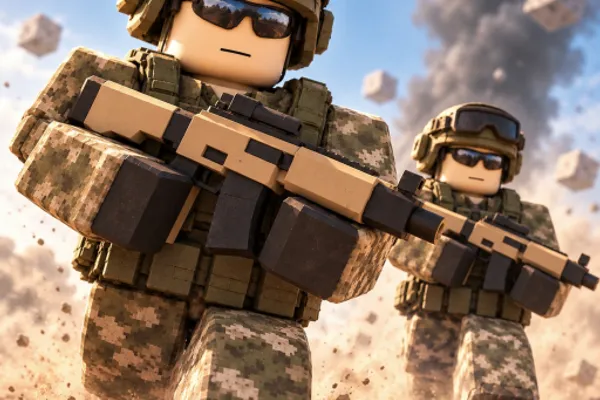
Voxel Wars is a large-scale 15v15 team-based battle game set in a completely destructible voxel environment. Beyond simply eliminating opponents, the game encourages tactical gameplay where you destroy walls, bunkers, towers, and buildings block by block, fundamentally transforming the battlefield itself. From foot combat to commanding tanks, helicopters, and jeeps, the variety of gameplay styles creates dynamic and unpredictable matches.
The core loop revolves around building turrets and steel defensive structures with your hammer while dismantling enemy fortifications piece by piece. Earning killstreaks unlocks powerful support abilities like airstrikes and gunships, making individual performance directly impact team success. After each round, the community votes on the next map and game mode, giving players meaningful agency in shaping the game's direction and ensuring each session feels fresh.
This week's popular gear
🔑 Active Codes 0 working
No active codes at the moment. Check back soon!
📝 Voxel Wars How to Redeem Codes
- 1Step 1: Launch Voxel Wars on the Roblox platform and wait for the game to fully load into the lobby or main menu.
- 2Step 2: Look for a 'Redeem Code' or 'Enter Code' button, usually located in the top-left area or in the main menu. Click it to open the code input window.
- 3Step 3: When the code input window appears, carefully paste or type a valid code obtained from official announcements, Discord, or developer updates into the text field.
- 4Step 4: Press the 'Submit' or 'Confirm' button to validate the code. A message will confirm whether the code is accepted.
- 5Step 5: Once confirmed, your reward (typically in-game currency or cosmetic items) will be added to your account immediately, ready to spend on upgrades and customization.
❓ FAQ
Where do I enter codes in Voxel Wars?
In the game lobby or main menu, look for a 'Redeem Code' or 'Enter Code' button, usually located in the top-left corner or within the menu settings. The exact position may vary after updates, but it's typically near the menu icon or upper-left area of the screen.
What should I do if a Voxel Wars code doesn't work?
First, double-check that you've entered the code correctly, including any hyphens or numbers. Codes are usually case-insensitive but should not have extra spaces. The code may be expired, so verify the latest active codes from official Voxel Front announcements or the game's news section.
How often do new Voxel Wars codes get released?
Voxel Front regularly releases new codes to celebrate events, updates, and community milestones. The exact schedule varies, but new codes are typically announced through official game notifications, Discord, and the Roblox game page. Checking these channels regularly ensures you don't miss out.
Are Voxel Wars codes free to use?
Yes, all codes are completely free. You don't need to spend any Robux (premium currency) to redeem them. Rewards typically include Lobi (in-game currency) or cosmetic items, allowing you to progress and customize your character without spending real money.