[UPD] Build a REAL House
0by airplnae
💬 Comments 0
📖 About
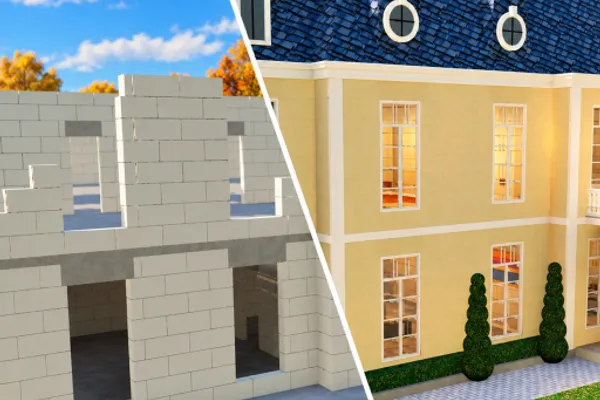
[UPD] Build a REAL House is more than just a construction simulator—it's a hands-on tycoon experience where you truly build from the ground up. Watch as you dig foundations, pour concrete, stack walls, install roofing, apply plaster and paint, and finish with gleaming tiles. Every action feels tactile and rewarding, with smooth animations that make construction deeply satisfying.
Choose from seven distinct architectural styles: classic House, Pool, Villa, Mansion, Riviera Villa, and the newer Sunset and Estate designs. Work solo to perfect your craft or team up with friends to tackle ambitious projects together. The game rewards dedication with a sense of genuine accomplishment as you transform empty lots into complete, personalized homes. With millions of players worldwide, [UPD] Build a REAL House proves that the simple act of building—step by careful step—is endlessly engaging.
This week's popular gear
🔑 Active Codes 0 working
No active codes at the moment. Check back soon!
📝 [UPD] Build a REAL House How to Redeem Codes
- 1Step 1: Launch Roblox and search for '[UPD] Build a REAL House', then click the Play button to enter the game.
- 2Step 2: Once the game loads, look for a 'Codes' or 'Code Input' button, usually located in the top-left or side menu near reward or gift icons.
- 3Step 3: Click the button to open the code input window and carefully type the code into the text field. Pay attention to uppercase and lowercase letters, as codes are case-sensitive.
- 4Step 4: After entering the code, click the 'Submit' button next to the input field to redeem it.
- 5Step 5: If the code is valid, you'll see a success message on screen and your rewards (currency, building items, etc.) will be added to your inventory automatically.
- 6Step 6: Check your inventory to confirm the rewards and continue building—use your new resources to speed up your construction projects.
❓ FAQ
Where do I enter codes in Build a REAL House?
After starting the game, look for a 'Codes' button in the left side menu or top menu area. It's usually located near reward or gift icons. Click this button to open the code input window where you can enter your code.
I entered a code but it's not working. What's wrong?
Check these possibilities: (1) Verify the code was typed correctly—codes are case-sensitive, so uppercase and lowercase letters must match exactly. (2) The code may have expired. (3) You may have already used this code before; most codes can only be redeemed once per account. (4) Try restarting the game and entering the code again.
How often are new codes released for Build a REAL House?
Developer airplane regularly releases new codes, typically during game updates or special events. Check the official game page and announcements section frequently to stay updated on the latest codes. Following community groups or fan pages can also help you stay informed.
Are the codes for Build a REAL House really free?
Yes, absolutely. All codes are completely free to redeem and grant in-game currency or rewards at no cost. Using codes doesn't require any Robux or real money—just a Roblox account and the ability to play the game.