Ragdoll Soccer
0by Ragdoll Athletics
💬 Comments 0
📖 About
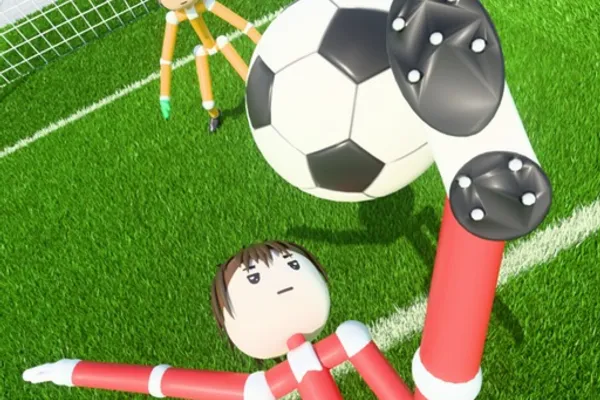
Ragdoll Soccer is a groundbreaking soccer game on Roblox that leverages a unique physics engine to deliver an entirely fresh take on the sport. By applying realistic ragdoll physics to football, the game creates unpredictable and hilarious moments that set it apart from conventional sports games. When your character collides with the ball, natural physics reactions occur, making every match feel dynamic and full of surprises.
The game offers multiple play modes to suit different playstyles. Quick 4v4 matches provide fast-paced action, while 8v8 Pro Servers feature full officiating with referees, penalties, free kicks, throw-ins, offsides, and VAR for a more authentic competitive experience. You can also join Clubs mode to queue with friends in 4v4 sessions, or refine your skills in Practice mode. While the game is still in early development, the developers are committed to continuously improving and expanding the experience.
This week's popular gear
🔑 Active Codes 0 working
No active codes at the moment. Check back soon!
📝 Ragdoll Soccer How to Redeem Codes
- 1Step 1: Launch Ragdoll Soccer by clicking the Play button on the game's Roblox page. Wait for the game to fully load and enter the main menu or lobby.
- 2Step 2: Once in the game, locate the code input button or text field, which is typically found at the top of the screen or in the main menu interface. Look for labels like 'Code', 'Redeem Code', or similar prompts.
- 3Step 3: Click on the code input field and carefully enter the promotional code. Ragdoll Soccer currently offers the code WELCOME to new and returning players.
- 4Step 4: After typing the code, click the 'Submit', 'Confirm', or 'Redeem' button to process your code.
- 5Step 5: If the code is valid, you'll receive a confirmation message and your reward will be added to your account. The reward is typically in-game currency or items that you can use immediately.
❓ FAQ
Where do I enter codes in Ragdoll Soccer?
Once you launch the game and reach the main menu or lobby, look for a code input button or field. It's typically located at the top of the screen or in the main menu interface and may be labeled 'Code', 'Redeem Code', or 'Enter Code'. Click on it and type your code. If you can't find it immediately, explore the menu options as the exact location may vary with game updates.
What should I do if a Ragdoll Soccer code isn't working?
First, double-check that you've entered the code correctly, including proper capitalization, as codes are case-sensitive. Verify that the code hasn't expired—promotional codes have limited validity periods. Try restarting the game or logging out and back into Roblox before attempting again. If the issue persists, check the game's official community pages or social media for confirmation that the code is still active.
How often are new codes released for Ragdoll Soccer?
Since Ragdoll Soccer is in early development, the developers periodically release new promotional codes to reward players. New codes are typically announced through the game's community channels, official social media accounts, and in-game notifications. We recommend checking these sources regularly so you don't miss out on available rewards.
Are Ragdoll Soccer codes free to use?
Absolutely! All promotional codes are completely free. You won't pay anything to enter a code and receive your rewards, whether they're in-game currency, cosmetics, or other items. The code system is designed purely to give players additional benefits at no cost.