Build Your World! 🔨
0by Cozy Games!
💬 Comments 0
📖 About
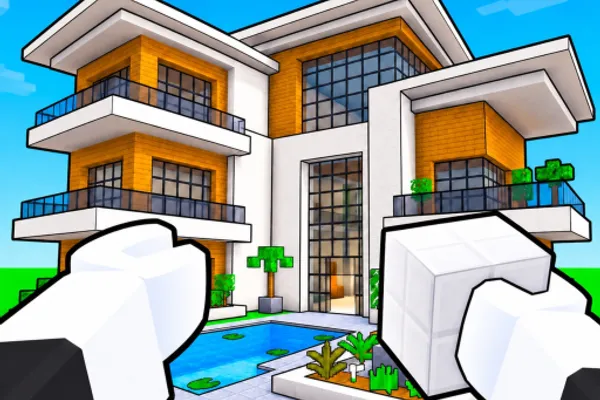
「Build Your World! 🔨」is a creative tycoon game on Roblox where you claim your own plot of land and build anything your imagination allows. With hundreds of building blocks and over 100 furniture items at your disposal, you can construct unique structures that reflect your personal style. The best part? Your creations are permanently saved in your own private server at no cost, ensuring your hard work never disappears.
Beyond construction, this game offers a rich social experience. Collaborate with friends to build together on shared plots, ride horses across your territory, and raise pets that become part of your world. For those seeking a bit of chaos, you can visit other players' plots and unleash TNT explosions or summon tornadoes to test their defenses. Meanwhile, players can fortify their own bases with anti-troll protection systems. It's a perfect blend of creative building, pet ownership, and playful competition that keeps the experience fresh and engaging.
This week's popular gear
🔑 Active Codes 0 working
No active codes at the moment. Check back soon!
📝 Build Your World! 🔨 How to Redeem Codes
- 1Step 1: Launch the Roblox client and search for 「Build Your World! 🔨」to enter the game.
- 2Step 2: Once the game loads, look for the 'Code' or 'Redeem Code' button. This is usually located in the menu tab at the top of the screen or in the left sidebar.
- 3Step 3: When the code input window opens, type your valid game code into the text field. Make sure to match the capitalization and spacing exactly.
- 4Step 4: Click the 'Submit' or 'Confirm' button to validate your code.
- 5Step 5: If the code is valid, your reward (Robux, blocks, furniture, or other items) will be instantly added to your inventory. You'll see a confirmation message on screen.
❓ FAQ
Where do I enter codes in 「Build Your World! 🔨」?
After entering the game, look for the 'Code' or 'Redeem Code' button in the top menu bar or left sidebar. Click it to open the code input window. The exact location may vary slightly depending on the game version, so check all menu tabs if needed.
My code isn't working in 「Build Your World! 🔨」. What should I do?
There are several reasons a code might not work. First, check that you've entered it exactly as written—capitalization and spacing matter. Second, the code's expiration date may have passed. Third, each code can only be redeemed once per account, so if you've already used it, you can't use it again. Check the official Discord or game page for the latest valid codes.
How often are new codes released for 「Build Your World! 🔨」?
New codes are released periodically, but the exact schedule depends on Cozy Games!'s update cycle. To stay updated, follow the game's official social media, join the Discord community, or regularly check the Roblox game page for new code announcements.
Are 「Build Your World! 🔨」codes free to redeem?
Yes, all game codes are completely free to redeem. There are no hidden costs associated with rewards you receive from codes (Robux, blocks, furniture, etc.). However, note that purchasing premium in-game items through the store is a separate paid transaction.