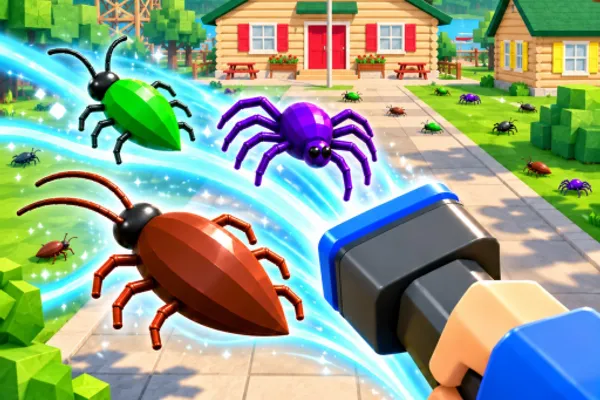
Clean The Bugs 🐜
0by Retro Library
💬 Comments 0
📖 About
Clean The Bugs 🐜 is an action-clicker game centered on pest extermination gameplay. Players take on the role of an exterminator tasked with eliminating thousands of bugs scattered across various maps by tapping and clicking them. The game combines simple yet addictive mechanics with options for solo play or cooperative gameplay with friends.
The core appeal lies in fast-paced clicking combined with competitive leaderboard rankings, motivating players to improve their times and scores. As you progress, you unlock increasingly powerful extermination tools and upgrades that make pest elimination more efficient and satisfying. Beyond the main gameplay loop, hidden secrets scattered throughout the game world reveal the mysterious story behind the bug infestation, adding an extra layer of discovery and motivation for exploration.
This week's popular gear
🔑 Active Codes 0 working
No active codes at the moment. Check back soon!
📝 Clean The Bugs 🐜 How to Redeem Codes
- 1Step 1: Launch Clean The Bugs and wait for the game to fully load the lobby or main game screen.
- 2Step 2: Look for the 'Codes' button in the menu panel, typically found on the left or right side of the screen, often near settings or options icons.
- 3Step 3: Click the codes input button to open a text entry window. Carefully type the active redemption code into the field.
- 4Step 4: After entering the code, click the 'Submit' or 'Redeem' button to activate it.
- 5Step 5: Once you see a success message, your rewards (coins, upgrades, special tools, etc.) will automatically be added to your inventory.
- 6Step 6: Return to the game and verify your unlocked tools or resources, then continue your bug elimination adventure.
❓ FAQ
Where do I enter codes in Clean The Bugs?
Look for the 'Codes' button in the menu panel on the right side (or left side) of the game lobby or in-game screen. Click this button to open the code input window, where you can paste or type your active redemption codes.
My code isn't working in Clean The Bugs. What should I do?
Make sure you've entered the code exactly as specified—capitalization and spacing matter. Codes may also have expiration dates, so check the official Discord server or developer account for the latest active codes. If a code still doesn't work, try restarting the game and entering it again.
How often are new codes released for Clean The Bugs?
Developer Retro Library typically releases new codes alongside content updates, often tied to milestone achievements like '2,000 LIKES = NEW MAP'. Check the official game page, the developer's social media accounts, or community forums for the latest active codes.
Are Clean The Bugs codes really free?
Yes, all redemption codes are completely free—no Robux purchase required. Rewards from codes help you progress faster and unlock powerful tools, making them a valuable addition to your gameplay experience at no cost.