Hide In Drawings 🎨
0by EX10 Hide
💬 Comments 0
📖 About
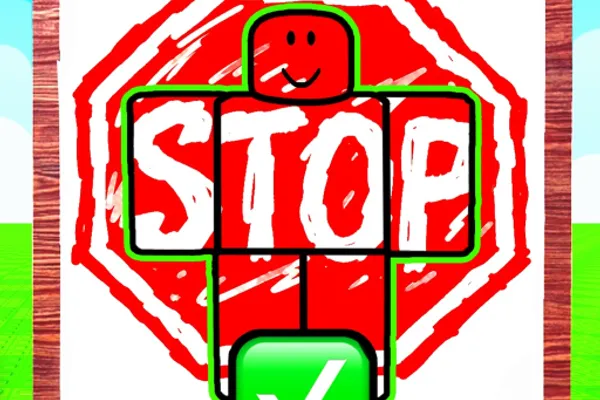
「Hide In Drawings 🎨」is a hide-and-seek game where two players must find the perfect spot to conceal themselves within artistic illustrations. One player hides while the other searches, and the first to spot their opponent wins the round. The gameplay revolves around discovering clever hiding spots within beautifully drawn environments.
What makes this game unique is the intricate detail of its illustrated maps. Players must utilize shadows, patterns, color gradients, and other visual elements within the artwork to either hide effectively or spot well-concealed opponents. Each round presents a new drawing, ensuring fresh and unpredictable matches every time you play.
By earning money through matches, you can unlock cosmetics and personalization items to customize your character. The game maintains a strict policy against exploiting and inappropriate behavior to ensure a fair and enjoyable experience for all players.
This week's popular gear
🔑 Active Codes 0 working
No active codes at the moment. Check back soon!
📝 Hide In Drawings 🎨 How to Redeem Codes
- 1Step 1: Search for 「Hide In Drawings 🎨」on Roblox and join the game.
- 2Step 2: Once the game loads, look for the code redemption button in the main menu or lobby. It's usually labeled 'Redeem Code' or similar and is typically located at the top or left side of the screen.
- 3Step 3: Click the code input button to open the text entry field where you can paste or type your code.
- 4Step 4: Enter the valid code carefully and click the 'Submit' or 'Confirm' button to redeem it.
- 5Step 5: If the code is valid, your reward (usually in-game currency) will be automatically added to your account.
- 6Step 6: Use your earned money to purchase cosmetics from the shop or continue playing matches.
❓ FAQ
Where do I enter codes in Hide In Drawings?
Look for the 'Redeem Code' or code input button in the game's main menu or lobby. It's typically located at the top or on the left side of the screen. Click the button to open the code entry window.
What should I do if a code doesn't work in Hide In Drawings?
If a code isn't working, check the following: 1) Verify you typed it correctly (codes are case-sensitive), 2) Ensure the code hasn't expired, 3) Confirm you haven't already used that code. If all checks pass, contact the game developer for support.
How often are new codes released for Hide In Drawings?
The frequency of code releases depends on the developer's update schedule and events. To stay updated on new codes, regularly check the game's official announcements, Discord community, or the developer's social media accounts.
Are the codes for Hide In Drawings free?
Yes, all official codes are completely free. When you redeem a code, you'll receive in-game currency or cosmetics without spending Robux or real money. Only use codes from official sources.