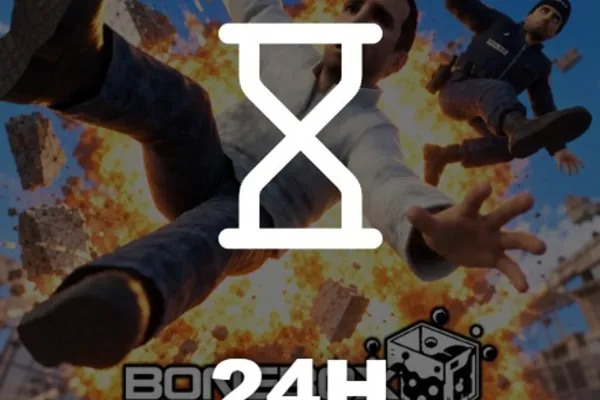
[🦖T-REX] BoneBox Engine 🩸
0by SW33R Game Studio
💬 Comments 0
📖 About
[🦖T-REX] BoneBox Engine is the ultimate ragdoll physics sandbox where destruction knows no limits. Spawn over 100 weapons, vehicles, and props—from tanks and helicopters to RPGs and melee weapons—and watch as every NPC, structure, and environment reacts with realistic physics. Freeze entire crowds, plow through reinforced walls, or unleash a black hole across the map; the methods of mayhem are endless.
What sets BoneBox Engine apart is its focus on physics-driven emergent gameplay rather than scripted sequences. Every action produces unpredictable results based on angles, environmental factors, and timing, meaning no two destruction scenarios play out identically. The appeal lies in the freedom to test wild ideas instantly and witness the tangible physical consequences in real-time. Whether you're experimenting with combinations of tools or engineering elaborate chain-reaction disasters, the game rewards creative thinking and playful experimentation with immediate, satisfying visual feedback.
This week's popular gear
🔑 Active Codes 0 working
No active codes at the moment. Check back soon!
📝 [🦖T-REX] BoneBox Engine 🩸 How to Redeem Codes
- 1Step 1: Search for '[🦖T-REX] BoneBox Engine' in the Roblox client and launch the game.
- 2Step 2: Once loaded, look for a 'Codes,' 'Rewards,' or 'Redeem' button, typically located in the top-left or top-right corner of your screen.
- 3Step 3: Click the button to open the code redemption window and paste your valid code into the text field.
- 4Step 4: Click 'Submit' or 'Confirm' to execute the code and validate it on the server.
- 5Step 5: If successful, a notification will appear confirming your reward—usually in-game currency or exclusive toys.
- 6Step 6: Access your rewards immediately through the inventory or toy-spawning menu and start using them in-game.
❓ FAQ
Where do I enter codes in BoneBox Engine?
Look for a 'Codes,' 'Rewards,' or 'Redeem' button on the game's main screen, usually in the top-left or top-right corner. Click it to open the code input window, paste your code, and submit.
My BoneBox Engine code isn't working. What should I do?
Codes are case-sensitive, so verify exact spelling. Additionally, expired codes or codes you've already redeemed won't work. Check the official Discord or community hub for current, working codes and confirm whether a code is single-use only.
How often do new BoneBox Engine codes release?
SW33R Game Studio distributes new codes regularly, typically during game updates, special events, or milestone celebrations. Following their official Discord server and social media channels is the best way to stay informed about fresh code releases.
Are BoneBox Engine codes free?
Yes, all codes are completely free to use. No Robux or in-game premium currency is required to redeem them. The rewards vary by code but are always offered at no cost to the player.