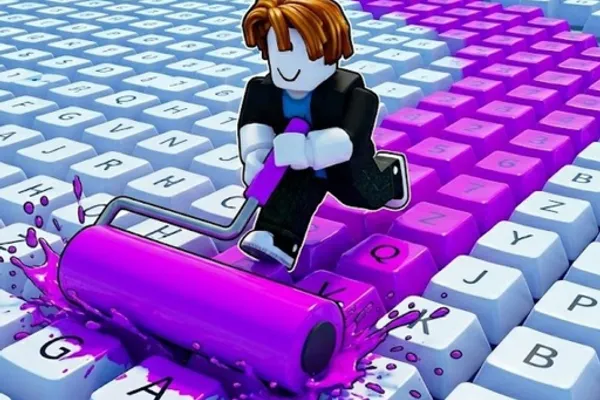
Paint My Keyboard! 🎨
0by sooo satisfying!
📖 About
"Paint My Keyboard!" is a unique party game where you transform ordinary keyboard keys into vibrant, colorful creations using various paint colors and tools. With over 37 million plays and hundreds of thousands of likes, this game captures the satisfying essence of incremental gameplay where each painted key generates cash rewards. As you earn currency from your artistic efforts, you'll unlock superior paint colors, upgrade your roller for better efficiency, and expand your keyboard to build an increasingly impressive masterpiece. The game's charming premise lies in its simple yet engaging loop—paint, earn, upgrade, and watch your keyboard grow into something spectacular alongside friends in this entertaining party experience.
🔑 Active Codes 1 working
KEYBOARD특별 색상 팩📝 Paint My Keyboard! 🎨 How to Redeem Codes
- 1Launch "Paint My Keyboard!" through the Roblox app or web browser to enter the game lobby.
- 2Look for a 'Codes' or 'Redeem Code' button, typically located in the top menu bar or left sidebar of the game interface.
- 3Click the button to open the code redemption window and locate the input field for entering promotional codes.
- 4Copy and paste the official code from the game's social media or community channels into the input field, then press 'Submit' or 'Redeem'.
- 5Once successfully redeemed, a confirmation message will appear on your screen and your reward—usually cash or exclusive paint colors—will be added to your account immediately.
📰 Latest Updates
기계식 키보드 테마 추가
클릭 소리 시뮬레이션. 투명 키캡 스킨. 타이핑 애니메이션.
❓ FAQ
Where do I input codes in "Paint My Keyboard!"?
After entering the game lobby, look for the 'Codes' or 'Redeem Code' button in the top menu or left sidebar. Clicking this button will open the code redemption window where you can enter your promotional code.
Why isn't my code working in "Paint My Keyboard!"?
The code may have expired, been already redeemed, or contain a typing error. While most codes are case-insensitive, it's best to copy and paste the code exactly as shown. Always verify the latest active codes from the developer's official social media or community channels.
How often are new codes released for "Paint My Keyboard!"?
The frequency of new code releases depends on the developer's update schedule and in-game events. Follow the game's official Discord, Twitter, and YouTube channels regularly to stay updated with the latest active codes.
Are promotional codes in "Paint My Keyboard!" free to redeem?
Yes, all promotional codes are completely free. When you redeem a code, you receive rewards such as cash, paint colors, or upgrades at no cost—no payment is required.