Clean The Library 📖
0by Retro Library
📖 About
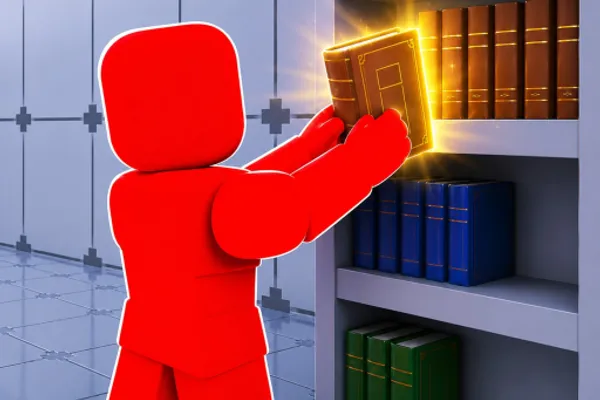
Clean The Library is a party game where you restore order to a chaotic library filled with scattered books. Players collaborate to organize books and arrange them correctly on shelves, transforming a messy library back into a well-organized space. With intuitive pickup and placement mechanics optimized for both PC and controller input, the game is accessible to players of all skill levels.
The game's appeal lies in its satisfying and engaging organization gameplay loop. You'll scroll through books, find the correct shelf positions, and place them systematically—delivering the rewarding feeling of bringing order to chaos. The Easy Mode option makes it perfect for newcomers, while the cooperative nature makes it an excellent choice for multiplayer fun with friends. Whether you're a casual player seeking relaxation or looking for lighthearted party entertainment, Clean The Library delivers straightforward, enjoyable mechanics wrapped in a cozy library setting.
🔑 Active Codes 1 working
CLEAN25청소 도구 업그레이드📝 Clean The Library 📖 How to Redeem Codes
- 1Step 1: Launch Clean The Library and enter the lobby. Look for a 'Redeem Code' or 'Promo Code' button, typically located in the game's main menu or settings area.
- 2Step 2: Click the code redemption button to open a text input window. Carefully enter your valid promotional code into the field.
- 3Step 3: Double-check your code entry for accuracy, then click 'Submit' or 'Confirm' to process the code.
- 4Step 4: If the code is valid, a confirmation message will appear on your screen, and you'll receive your reward—such as in-game currency or items.
- 5Step 5: Close the code redemption window and return to gameplay. Check your inventory to verify that your new reward has been added to your account.
📰 Latest Updates
도서관 2층 신규 구역
고서 섹션 추가. 먼지 폭풍 챌린지. 로봇 청소기 도구 출시.
❓ FAQ
Where do I enter codes in Clean The Library?
Look for a button labeled 'Redeem Code,' 'Promo Code,' or 'Rewards' in the game's lobby or main menu. It's typically located at the top of the screen or within the settings area. Click the button to open the code input window.
My Clean The Library code isn't working. What's wrong?
The code may have expired or already been used. Double-check that you've entered it with correct capitalization and special characters. Verify the code on the developer's official social media or in-game announcements, restart the game if needed, and try again.
How often are new codes released for Clean The Library?
New codes are typically released to celebrate game updates, milestone achievements (like reaching certain like counts), and special events. Check the developer's official social media channels and in-game announcements regularly to stay informed about fresh codes.
Are rewards from Clean The Library codes free?
Yes, all rewards obtained through promotional codes are completely free. You can earn in-game currency and items without spending real money, making it worthwhile to check for new codes regularly.