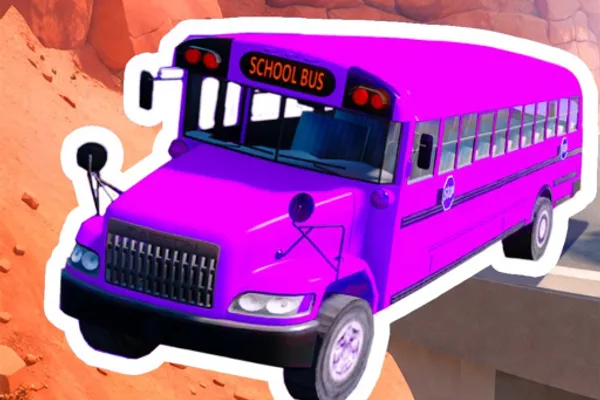
Drive A Bus
0by Squished Shark Studios
📖 About
Drive A Bus is a simulator game where you pilot buses through treacherous roads across distinctive worlds. Team up with friends to navigate through challenging environments like canyons, jungles, and lava-filled landscapes while collecting rewards and unlocking new vehicles. The game focuses on skillful driving mechanics rather than just casual steering—mastering tight turns, maintaining speed on dangerous tracks, and adapting to each world's unique hazards is what separates novice drivers from true bus professionals. As you progress, you'll expand your garage with new buses and discover increasingly demanding routes.
🔑 Active Codes 0 working
No active codes at the moment. Check back soon!
📝 Drive A Bus How to Redeem Codes
- 1Step 1: Launch Drive A Bus in Roblox and wait for the game to fully load on your device.
- 2Step 2: Look for a 'Redeem Code', 'Promo Code', or gift box icon in the game's main menu or settings area. These buttons are usually located in the upper left or right corner of your screen.
- 3Step 3: Click on the code redemption button to open a text input field. Enter the promo code carefully without any spaces.
- 4Step 4: Press the 'Submit' or 'Confirm' button to validate your code.
- 5Step 5: If the code is valid, your rewards (in-game currency, bus skins, or collectible items) will be instantly added to your account.
- 6Step 6: Verify your rewards in your inventory and continue playing. Note that each code can typically only be redeemed once per account.
📰 Latest Updates
신규 버스 "전기 버스" 추가
친환경 전기 버스. 충전소 시스템. 새 노선 "공항선".
❓ FAQ
Where do I enter promo codes in Drive A Bus?
After launching the game, look for a settings button or gift icon in the main menu, usually located in the upper right or left corner of your screen. Click on it to open the code redemption window. The exact location may vary slightly depending on recent game updates, so explore the menu carefully if you can't find it immediately.
My Drive A Bus promo code isn't working. What should I do?
Try these troubleshooting steps: (1) Re-enter the code carefully—check for typos or accidental spaces, (2) Verify that the code hasn't expired by checking official Drive A Bus social media or community channels for active codes, (3) Confirm you haven't already redeemed this code on your account, as most codes can only be used once per player. If the code is confirmed valid and you've entered it correctly, wait a few minutes and try again.
How often are new promo codes released for Drive A Bus?
Promo codes are typically released irregularly throughout the year, often coinciding with game updates, player milestone celebrations, or seasonal events. While there's no fixed schedule, you can stay informed by following Squished Shark Studios' official social media accounts, checking in-game announcements, and visiting the Roblox community forums where codes are frequently shared by the development team.
Are Drive A Bus promo codes free to use?
Yes, all official promo codes are completely free. You don't need to spend Robux (Roblox's premium currency) or real money to redeem them. Always use codes from official sources only and avoid suspicious third-party websites or spam links that might claim to have exclusive codes.