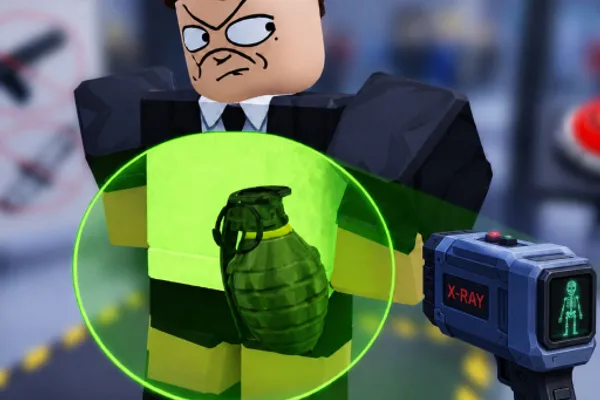
Secure the Airport
0by Bro Brought WHAT??
📖 About
"Secure the Airport" is a unique tower defense fighting game where you become an airport security officer tasked with scanning passengers and defending the airport from threats. You'll perform authentic security duties including scanning passengers with advanced equipment, searching luggage for prohibited items, and verifying passports and boarding passes. As you process more passengers and earn cash, you can upgrade your gear to handle increasingly dangerous criminals and threatening travelers.
The game's core appeal lies in balancing speed and accuracy under pressure. You must process as many passengers as possible within limited time while carefully identifying and stopping dangerous individuals. As your airport becomes busier and more dangerous, strategic decision-making and quick reflexes become essential. The satisfaction comes from successfully defending your airport terminal while unlocking new areas and equipment, creating an engaging gameplay loop that grows more challenging with every wave of passengers.
🔑 Active Codes 0 working
No active codes at the moment. Check back soon!
📝 Secure the Airport How to Redeem Codes
- 1Step 1: Launch 'Secure the Airport' on the Roblox platform and wait for the game to fully load before proceeding.
- 2Step 2: Look for the 'Codes' or 'Rewards' button, typically located at the top of the screen or in the left-side menu. Click it to open the code redemption interface.
- 3Step 3: Once the code input window appears, carefully enter your valid promo code into the text box. Note that codes are usually case-sensitive, so match the capitalization exactly.
- 4Step 4: Click the 'Submit' or 'Enter' button to redeem your code.
- 5Step 5: If the code is valid, your reward (typically cash or upgrade tokens) will be immediately added to your account. A confirmation message will appear on screen.
- 6Step 6: After confirming your reward, continue playing and use your new currency to purchase equipment upgrades or unlock new capabilities.
📰 Latest Updates
신규 터미널 구역 추가
국제선 터미널. 드론 감시 시스템. 테러 진압 미션 모드.
❓ FAQ
Where do I input codes in 'Secure the Airport'?
Look for a 'Codes' or 'Rewards' button typically located in the main menu or at the top/left side of the game screen. Clicking it will open a code input window. The exact location may vary with game updates, so carefully scan the interface for the button.
I entered a code but it's not working. What should I do?
First, verify that you entered the code with the correct capitalization, as codes are often case-sensitive. The code may also have expired or already been redeemed by your account. Check the developer's official social media channels and in-game announcements for the latest valid codes.
How frequently are new codes released for 'Secure the Airport'?
Developers typically release new codes during special events, milestone celebrations, or major game updates. Rather than on a fixed schedule, new codes appear sporadically. Following the game's official Discord server or social media accounts is the best way to stay updated on new code releases.
Are promo codes for 'Secure the Airport' free to use?
Yes, all promo codes are completely free. Entering a valid code grants you in-game rewards such as cash, upgrade tokens, or special items without requiring any real-money payment.