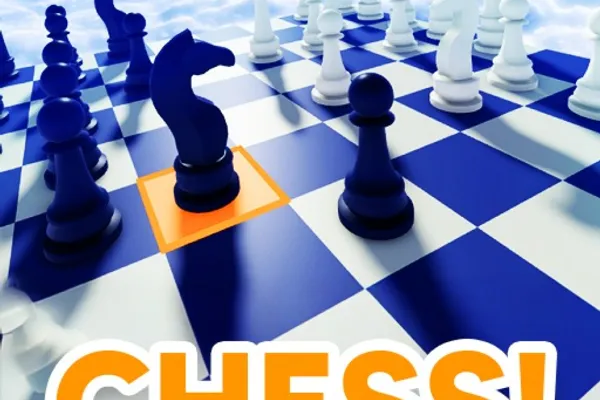
CHESS!
0by Cookie development
📖 About
CHESS! is a classic chess game available on Roblox where you can compete with players from around the world in real-time strategy matches. Whether you're a beginner or an experienced player, the ranked mode system allows you to progress through ranks from Bronze to Grand Master, giving you a clear sense of progression and achievement. Beyond ranked play, you can also enjoy casual game modes with friends without the pressure of rankings.
Grow stronger by winning matches and leveling up to earn in-game coins, while expressing your personal style through various skins. The game is accessible across multiple platforms—PC, mobile, console, and more—making it easy to play anytime, anywhere. You can also spectate other players' matches and engage with the community through the global chat feature, connecting with fellow chess enthusiasts worldwide.
🔑 Active Codes 0 working
No active codes at the moment. Check back soon!
📝 CHESS! How to Redeem Codes
- 1Step 1: Launch the CHESS! game on Roblox and wait for it to fully load.
- 2Step 2: Look for the 'Enter Code' button or gift icon, typically located in the top-right corner of the screen or near the main menu area, often close to the settings (gear) icon.
- 3Step 3: Click the button to open a text input box where you can enter your reward code.
- 4Step 4: Type the code carefully into the text field and click the confirmation button (usually 'Enter' or 'Submit').
- 5Step 5: If the code is valid, a success message will appear on your screen and your rewards (coins, skins, etc.) will be added to your account immediately.
- 6Step 6: Open your inventory or shop menu to verify your new rewards have been added.
📰 Latest Updates
랭크 시즌 3 시작
신규 체스판 테마. 시간 제한 모드. 스킨 시스템 추가.
❓ FAQ
Where do I enter codes in CHESS!?
Look for the 'Enter Code' button or gift icon in the top-right corner of the game screen or near the main menu. It's typically located close to the settings icon. Click it to open the code input window.
My code isn't working in CHESS!. What should I do?
Double-check that you've entered the code exactly as it appears, including uppercase/lowercase letters, spaces, and special characters. Codes may expire or become invalid if already used. Check the official developer channels or in-game notifications for the latest valid codes.
How often are new reward codes released for CHESS!?
The frequency of new codes depends on the developer's event schedule and updates. Codes are released regularly, so it's recommended to follow the game community or official announcements to stay updated.
Are the codes in CHESS! free to use?
Yes, all reward codes in CHESS! are completely free. Any rewards you receive from redeeming codes, such as coins or skins, are provided at no cost.