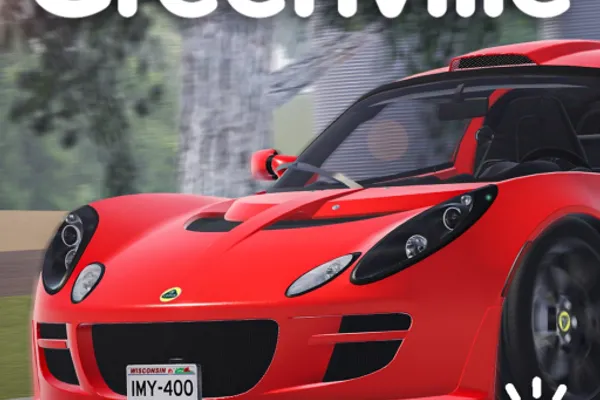
Greenville RP
0by Greenville, Wisconsin
📖 About
Greenville is one of Roblox's largest-scale car roleplay games, authentically recreating the daily life of a small American town. With hundreds of diverse vehicles to purchase and customize, you can explore the town with friends while enjoying free-form roleplaying. Beyond simple driving mechanics, the game features deep meta-gameplay elements like economic activities, job selection, and property ownership that keep players engaged for extended periods.
The core of Greenville lies in creating your own character and becoming a resident of the town. Starting from car tuning and customization, you'll purchase homes, pursue various careers, and build your unique story through interactions with other players. Regular events (such as the July 4th celebration) introduce new vehicles and content, providing constant reasons to return and experience fresh gameplay elements.
🔑 Active Codes 0 working
No active codes at the moment. Check back soon!
📝 Greenville RP How to Redeem Codes
- 1Step 1: Launch Greenville and complete character creation to spawn into the town.
- 2Step 2: Locate the menu button (usually an icon in the upper-left or lower-left corner of your screen) and click it.
- 3Step 3: Navigate through the menu to find options labeled 'Codes', 'Rewards', or 'Promo Codes'.
- 4Step 4: Enter a valid promotion code into the input field that appears, making sure to match capitalization and spacing exactly.
- 5Step 5: Click the 'Confirm' or 'Submit' button to validate your code.
- 6Step 6: If the code is valid, your reward (in-game currency, vehicles, or items) will be automatically added to your inventory or account balance.
❓ FAQ
Where do I enter a promotion code in Greenville?
Open the menu button located in the upper-left or lower-left corner of your screen, then look for a 'Codes' or 'Rewards' section within the menu. This is where you'll find the code input field. The exact location may vary slightly depending on game updates, so thoroughly explore the menu if needed.
I entered a Greenville promo code but it didn't work. Why?
Common reasons codes fail include: ① Incorrect capitalization, numbers, or spacing in the code, ② The code has expired, ③ You've already redeemed that code on your account, or ④ A server-side error. Try entering the code again carefully. If it still doesn't work, check the official developer channels for the latest valid codes.
How often does Greenville release new promotion codes?
Greenville typically releases new codes during special events (like the July 4th celebration) or when the game reaches milestones. There's no fixed schedule, so follow the official social media channels (Discord, Twitter, etc.) for announcements about new codes.
Are Greenville promotion codes free to use?
Yes, all legitimate Greenville promotion codes are completely free. Once redeemed, your rewards (currency, vehicles, items) are automatically added to your inventory at your spawn point. If any code redemption process asks for payment, it's a scam—never proceed with it.