🔥Hypershot
0by Frosted Studio
📖 About
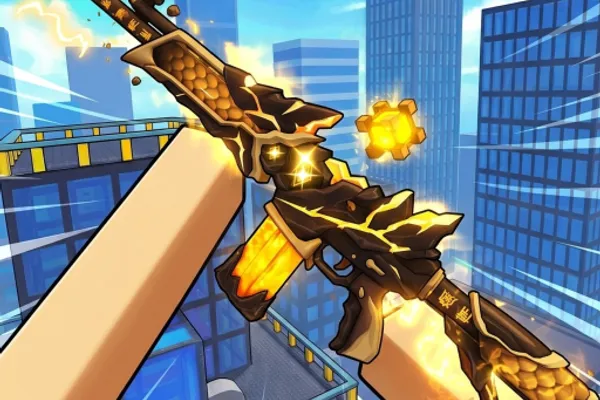
Hypershot is a fast-paced, action-driven FPS game on Roblox where skill, style, and unpredictability take center stage. The game features multiple classic gamemodes including Team Deathmatch, Capture the Flag, Free for All, and Gun Game (Arsenal), each requiring different tactical approaches and weapon choices. Every session feels fresh and exciting as you adapt your strategy to the mode and your opponents.
What sets Hypershot apart is its unique Abilities system, which elevates gameplay beyond traditional gunplay. You'll master special abilities that let you outmaneuver opponents and turn the tide of battle through smart execution and timing. Whether you're challenging rivals in 1v1 or 2v2 duels with friends, or grinding to climb the competitive leaderboard, Hypershot offers compelling reasons to keep improving. With impressive player numbers and community engagement, this is a go-to choice for players seeking competitive FPS action.
🔑 Active Codes 5 working
NEWUPDATEThis code credits your account with Free Rewards.100KThis code credits your account with 2 100K Charms.HAPPYMAYThis code credits your account with 50,000 Coins and 5,000 Gems.SIXSEVENThis code credits your account with 67,000 Coins and 6,700 Gems.ONEBILLIONThis code credits your account with One Billion Charms, 1 Diamond Skin Case, and 100,000 Coins.Expired Codes (3)
📝 🔥Hypershot How to Redeem Codes
- 1Step 1: Launch Hypershot and wait for the game to fully load. Make sure you're at the main lobby or home screen where all UI elements are visible before proceeding.
- 2Step 2: Look for the codes button on your screen—it's usually located on the left or right side of the interface, often labeled 'Codes' or represented by a gift/present icon. Click it to open the codes menu.
- 3Step 3: Once the code input window appears, carefully copy and paste your code into the text field. Pay attention to uppercase and lowercase letters, as codes are typically case-sensitive.
- 4Step 4: After entering the code, click the 'Submit' or 'Confirm' button to validate it.
- 5Step 5: If the code is valid, you'll receive a success message and your rewards (weapon skins, currency, special items, etc.) will be automatically added to your inventory.
- 6Step 6: Close the codes menu and return to the game to verify your rewards and continue playing.
📰 Latest Updates
신규 맵 "우주 정거장" 추가
중력 감소 구간. 새 저격 포지션 3곳. 제로그래비티 이동 메커닉.
❓ FAQ
Where do I enter codes in Hypershot?
The code input button in Hypershot is typically located on the left or right side of your screen in the main lobby or home screen. Look for a button labeled 'Codes' or an icon that looks like a gift/present. Click it to open the codes input window. If you can't find it immediately, check the edges of the screen carefully.
My Hypershot code isn't working. What should I do?
There are several reasons why a code might not work: (1) The code may have expired—double-check that you're using a current, valid code. (2) Verify that you've entered uppercase and lowercase letters exactly as shown. (3) Check if you've already redeemed this code before; some codes can only be used once. (4) Make sure the game has fully loaded before attempting to redeem a code; try waiting a moment and trying again.
How often does Hypershot release new codes?
Frosted Studio, the development team behind Hypershot, regularly releases new codes. They typically share new codes during major game updates, special events, or milestone celebrations. To stay updated with the latest codes, follow the official Hypershot social media channels and community forums where announcements are posted first.
What rewards do Hypershot codes typically give?
Hypershot code rewards usually include weapon skins, in-game currency, cosmetic items, and character customization options that enhance your gameplay experience and appearance. Different codes offer different rewards, so check what each code provides before redeeming. All code rewards are completely free and don't require any additional purchases.