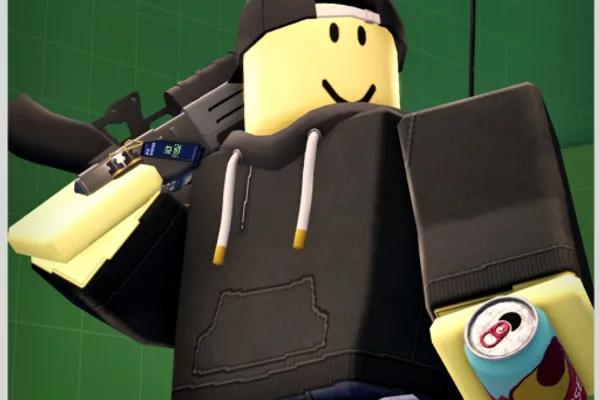
Evade
0by Hexagon Development Community
📖 About
Evade is a survival action parkour game where you must evade relentless 3D Nextbots hunting you across dynamic maps. Encounter creatures like Trollge, Defect, Bacteria, and Rolling Giant, each with unique pursuit patterns and behaviors. Success depends entirely on your movement skills—wall-running, precise jumping, sliding, and creative pathfinding are essential to outmaneuvering your pursuers and surviving each encounter.
What sets Evade apart is its philosophy that movement IS survival. Rather than passive hiding, you actively navigate treacherous terrain while calculating each Nextbot's line of sight and prediction patterns. The game demands both quick reflexes and strategic thinking, rewarding players who master advanced parkour techniques and understand the behavioral quirks of each pursuer. Every playthrough feels different as you discover new routes and outsmart the relentless AI.
🔑 Active Codes 5 working
theaftermathThis code credits your account with 1,000 Tokens.gullibleThis code credits your account with 30 Points.TrollgeTungTungEyelessBaldiBacteriaPacmanDefectThis code credits your account with 30 Points.isurviveddatahaulThis code credits your account with 60 Points.Summer2026This code credits your account with Rewards.Expired Codes (32)
📝 Evade How to Redeem Codes
- 1Step 1: Find Evade on Roblox and click the 'Play' button to launch the game.
- 2Step 2: Once in-game, look for the code redemption option in the main lobby or menu. This is typically found in the upper right corner or in a side menu panel.
- 3Step 3: Click the code redemption button to open the text input window where you can enter a valid promotional code.
- 4Step 4: Carefully type the code exactly as provided (codes are case-sensitive). Double-check for any typos before submitting.
- 5Step 5: Click the 'Submit' or 'Confirm' button to redeem your code. If valid, your rewards will be granted immediately to your account.
- 6Step 6: If you receive an 'already claimed' message, that code has been used on your account previously. Try another active code instead.
❓ FAQ
Where do I enter codes in Evade?
The code redemption menu in Evade is typically located in the main lobby or on the game screen, labeled as 'Codes,' 'Rewards,' or 'Promotions.' Look for this button in the upper right corner or left sidebar menu. The exact location may vary slightly depending on game updates.
My Evade code isn't working. What should I do?
First, verify that you've entered the code exactly as provided, including correct capitalization and spacing. Codes are case-sensitive and any typo will cause them to fail. The code may also be expired or already redeemed on your account. Check official sources like the Hexagon Development Community Discord or in-game announcements for currently active codes.
How often are new Evade codes released?
New codes for Evade are released periodically based on developer events, milestones, and special occasions, but there's no fixed schedule. To stay updated on the latest codes, regularly check the Hexagon Development Community's official Discord server and in-game announcements.
Are Evade promotional codes free?
Yes, all Evade promotional codes are completely free to use. You won't be charged any real money when redeeming codes. However, note that some seasonal battle passes or premium cosmetics may be paid content, so always check what reward you're claiming before proceeding.