[THERMAL] War Tycoon
0by KizmoTek Studio
💬 Comments 0
📖 About
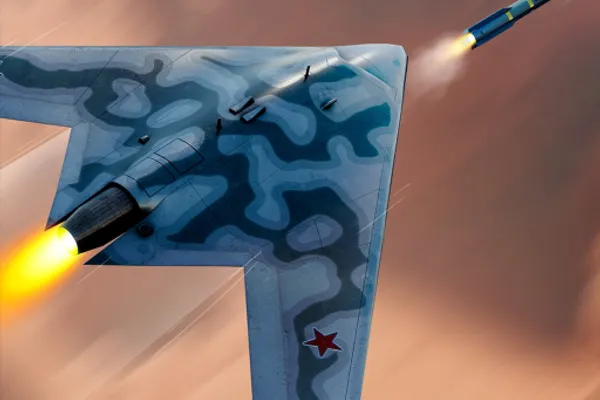
War Tycoon is a military-themed tycoon game where you construct your own weapons empire and wage battles with an ever-expanding arsenal. Build and upgrade factories to generate passive income, then reinvest your profits into devastating weapons and vehicles that grow increasingly powerful. The game blends classic tycoon progression mechanics with combat elements, featuring recent updates including the S-70 Okhotnik aircraft and new munitions manufacturing capabilities. With automatic progression saving and multiple rebirths to unlock advanced content, War Tycoon delivers long-term progression that rewards strategic planning.
This week's popular gear
🔑 Active Codes 5 working
250KThis code credits your account with 25,000 Cash, 1 FAL Heavy and a 25 Minute 2x Cash Boost.Fireworks24This code credits your account with 5 Star Sticker Skins.BoomThis code credits your account with Verdant Gun Skin.Wiki200KThis code credits your account with Magmaflow Weapon Skin.SocksThis code credits your account with the SocksBlox Skin.Expired Codes (19)
📝 [THERMAL] War Tycoon How to Redeem Codes
- 1Step 1: Launch War Tycoon on Roblox and wait for the game to fully load.
- 2Step 2: Look for the 'CODES' button on the main menu or upper left area of the screen, usually marked with a gift icon or text label.
- 3Step 3: When the code input window opens, carefully enter a valid code from the official update log or developer announcements.
- 4Step 4: Click the 'Submit' or 'Apply' button to redeem the code.
- 5Step 5: If the code is valid, you'll see a reward confirmation message and currency or items will be added to your account instantly.
- 6Step 6: Each code can only be used once per account, so check the dev forum regularly for newly released codes.
❓ FAQ
Where do I enter codes in War Tycoon?
Click the 'CODES' or gift icon typically located in the upper left corner of the main screen to open the code input window. The exact location may vary slightly depending on game updates, so scan the UI carefully.
My War Tycoon code isn't working. What's wrong?
Code issues usually stem from: (1) attempting to redeem a code you've already used, (2) typing the code incorrectly (check capitalization), or (3) the code being expired or past its validity period. Always verify codes from the official DevForum.
How often are new War Tycoon codes released?
New codes are typically released with major updates or milestone achievements (such as reaching 1.1M likes). Check the official DevForum and developer announcements regularly to stay updated on fresh codes.
Are War Tycoon codes free?
Yes, all codes are completely free and separate from gamepasses. They're available to all players regardless of purchase history, so anyone can enter official codes and claim rewards.