Strike: Warfare
0by Pickleton Productions
📖 About
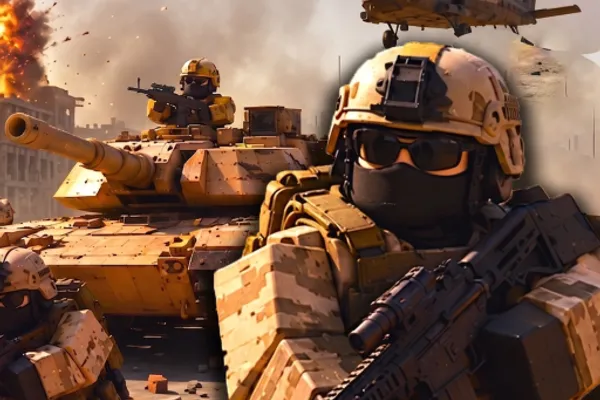
Strike: Warfare is a large-scale team-based tactical shooter on Roblox where 15v15 battles determine victory through strategy and firepower. Beyond straightforward gunplay, the game demands squad coordination, heavy vehicle operation, and tactical class selection to succeed. Map control, resource management, and team synergy are just as crucial as individual skill, delivering a comprehensive warfare experience where organized teamwork becomes the ultimate deciding factor.
Throughout matches, players transition between infantry roles and commanding heavy assets like tanks and helicopters, adapting tactics based on battlefield conditions. Each round presents fresh strategic opportunities, and communication with teammates creates moments of coordinated excellence. For players interested in military tactics and competitive team-based shooting, Strike: Warfare offers the depth and challenge expected from a premium Roblox combat experience.
🔑 Active Codes 0 working
No active codes at the moment. Check back soon!
📝 Strike: Warfare How to Redeem Codes
- 1Step 1: Launch Strike: Warfare on Roblox and wait for the main menu to fully load.
- 2Step 2: On the main menu screen, look for a 'Redeem Code' or 'Promo Code' button, typically located in the upper right corner or in the left-side menu near settings.
- 3Step 3: When the code input window opens, enter your valid promotional code carefully into the text field. Be sure to match uppercase and lowercase letters exactly.
- 4Step 4: After typing the code, press 'Enter' or click the 'Confirm' button to submit it.
- 5Step 5: If the code is valid, your reward (in-game currency, weapon skins, tactical items, etc.) will be added to your inventory immediately.
- 6Step 6: Close the menu and begin playing to equip and use your newly acquired rewards in battle.
❓ FAQ
Where do I input promotion codes in Strike: Warfare?
From the main menu, look for a 'Redeem Code', 'Promo Code', or 'Claim Reward' button, usually located in the upper right corner or in the left-side menu near settings. Click this button to open the code input window.
I entered a code in Strike: Warfare but it's not working. Why?
The most common reasons are typos, incorrect capitalization, or an expired code. Double-check that you've entered it exactly as provided. Ensure your game is updated to the latest version, and verify that the code hasn't passed its expiration date.
How often are promotion codes released for Strike: Warfare?
The frequency depends on Pickleton Productions' events, updates, and milestones. The best way to stay informed is by checking the official Discord server, in-game announcements, and the developer's social media channels for the latest codes.
Are Strike: Warfare promotion codes free to use?
Yes, all official promotion codes are completely free. Entering a code grants you in-game rewards (currency, items, skins, etc.) at no cost. However, codes have expiration dates, so it's best to redeem them as soon as possible after you receive them.