My Giant Sandwich
0by Goofy Sandwiches
📖 About
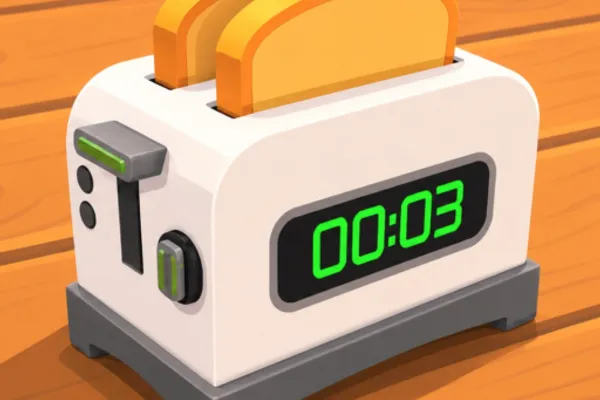
《My Giant Sandwich》 is a unique idle management game where you construct an impressively tall sandwich by cooking food in oversized kitchen equipment and stacking the ingredients higher and higher. The core gameplay revolves around purchasing progressively bigger food items, cooking them in giant toasters and pans, and strategically layering them to build your sandwich tower. What sets this game apart is its offline income system—your sandwich continues to generate money even when you're not playing, allowing you to return to constant progress. With over 856,000 plays, this charming game combines simple mechanics with satisfying progression, letting players continuously upgrade their equipment and expand their sandwich skyward.
🔑 Active Codes 0 working
No active codes at the moment. Check back soon!
📝 My Giant Sandwich How to Redeem Codes
- 1Step 1: Open Roblox and search for 《My Giant Sandwich》, then launch the game.
- 2Step 2: Once the game fully loads, look for a 'Codes' or 'Promo Code' button—usually located in the top menu bar or on the left sidebar, often near a star or gift box icon.
- 3Step 3: Click the codes button to open the input dialog, then carefully enter your promo code. Note that codes are case-sensitive.
- 4Step 4: Click the 'Submit' or 'Confirm' button to redeem your code.
- 5Step 5: If the code is valid, you'll immediately receive your reward (typically in-game currency or a boost), and a success message will appear on screen.
- 6Step 6: Return to the main game and continue building your sandwich empire with your new rewards.
❓ FAQ
Where do I enter promo codes in 《My Giant Sandwich》?
After launching the game, look for the codes button in the top menu bar or left sidebar—it typically features a star or gift box icon. Click it to open the code input window, then enter your promo code there.
My promo code isn't working in 《My Giant Sandwich》. What should I do?
First, verify that you've entered the code with correct capitalization and no extra spaces. The code may have expired, so check that it's recently distributed. If the code still doesn't work, try restarting the game. Some codes are time-limited or region-specific.
How often are new promo codes released for 《My Giant Sandwich》?
Promo codes are typically distributed during game updates, special events, or when the game reaches player milestones. The exact schedule isn't fixed, so it's best to check the game's official community page or in-game announcements regularly to stay updated on new codes.
Are 《My Giant Sandwich》 promo codes actually free?
Yes, all promo codes from official sources are completely free. Simply use codes distributed through Roblox's official channels or the game developer's announcements to claim rewards at no cost. Avoid codes from suspicious third-party websites.