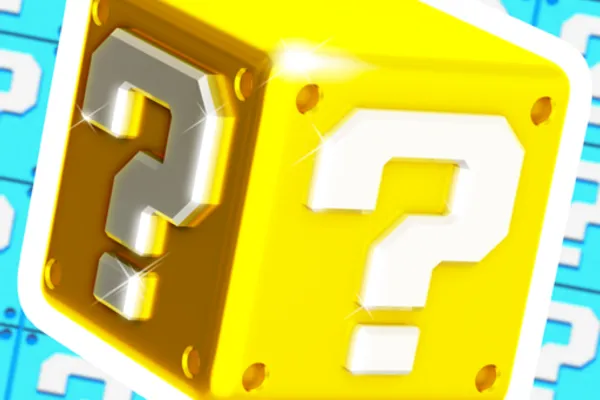
❓ LUCKY BLOCKS Battlegrounds
0by silky_dev
📖 About
❓ LUCKY BLOCKS Battlegrounds is a team-based battle royale where luck and strategy collide. You'll team up with friends, open mysterious lucky blocks to secure weapons and gear, and fight across the battleground to achieve victory. The unpredictable contents of lucky blocks ensure that every match plays out differently, creating thrilling moments where a single lucky drop can turn the tide of battle.
What sets this game apart is how heavily luck influences combat outcomes. Two players opening the same block might receive completely different rewards—one walks away with a powerful weapon while another gets an unexpected twist. The game constantly evolves with new additions like the recently introduced Hacker Blocks, keeping the gameplay fresh and exciting. Combined with engaging team mechanics and vibrant visuals, it's become one of Roblox's most beloved fighting games, with millions of players experiencing the rush of lucky block openings and intense team battles.
🔑 Active Codes 1 working
LUCKY25골든 블록 x5📝 ❓ LUCKY BLOCKS Battlegrounds How to Redeem Codes
- 1Step 1: Search for ❓ LUCKY BLOCKS Battlegrounds on Roblox and launch the game.
- 2Step 2: Once the game loads and you reach the lobby, look for a 'Codes' button typically located at the top of the screen or in the left menu panel.
- 3Step 3: Click on the codes input field and carefully enter a valid code. (Active codes are often announced with updates, such as those related to the Hacker Blocks feature.)
- 4Step 4: Press Enter or click the 'Redeem' button to submit your code.
- 5Step 5: If the code is valid, a notification will appear and your reward—whether free items or in-game currency—will be automatically added to your inventory.
- 6Step 6: Verify your reward and jump into battle to use your newly acquired items in combat.
📰 Latest Updates
레인보우 블록 추가
신규 최상위 무지개 블록. 블록 러시 토너먼트 모드. 시즌 리더보드.
❓ FAQ
Where do I enter codes in ❓ LUCKY BLOCKS Battlegrounds?
In the game's lobby, look for a 'Codes' or 'Code' button typically positioned at the top of the screen or in the left menu. Click this button to open the code input field where you can paste or type your valid code.
I entered a code but it didn't work. What should I do?
Several reasons could cause this. First, verify the code spelling is exact—codes can be case-sensitive and may contain special characters. Additionally, the code may have expired, or you might have already redeemed it on your account. For active codes, check the game's official community channels, Discord server, or developer announcements.
How often are new codes released for ❓ LUCKY BLOCKS Battlegrounds?
The game receives regular updates, with new codes typically released alongside major patches. For example, codes were distributed when the Hacker Blocks feature was added. To stay updated on the latest codes, follow the game's official social media accounts, community forums, and Discord server.
Are the rewards from codes in ❓ LUCKY BLOCKS Battlegrounds truly free?
Yes, all code rewards are completely free. Following standard Roblox practices, officially released codes grant items or in-game currency at no cost. Just ensure you input codes accurately from trusted official sources to avoid scams or invalid codes.