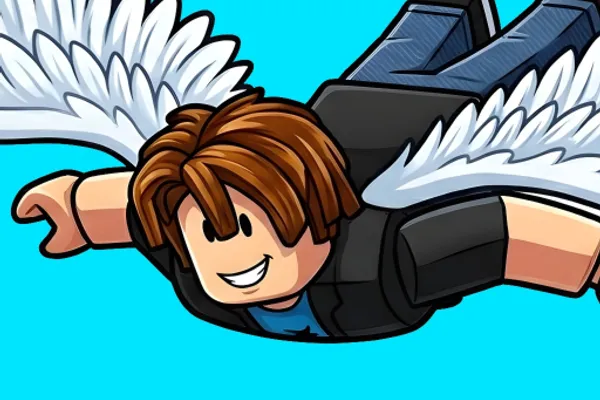
+1 Wings Obby Escape
0by Wings = Fly
📖 About
+1 Wings Obby Escape is a unique obstacle course game centered around collecting and upgrading wings. Unlike traditional Obby games that rely solely on jumping, this game features flying as its primary mechanic—as you beat stages, you unlock increasingly powerful wings that boost your flight speed and altitude. The progression system directly impacts gameplay, making each new wing acquisition a meaningful power-up rather than just cosmetic improvement.
Players must navigate through intricate obstacles using free-form flight mechanics, where both vertical and horizontal control become essential skills. The game tracks your progress through a 'Wins' counter that accumulates with each stage completion, creating a sense of ongoing achievement. This distinctive blend of obstacle-course challenge and aerial progression has attracted millions of players worldwide, offering a refreshing take on the Obby genre that rewards both skill development and persistent unlocking of new abilities.
🔑 Active Codes 0 working
No active codes at the moment. Check back soon!
📝 +1 Wings Obby Escape How to Redeem Codes
- 1Step 1: Launch +1 Wings Obby Escape on Roblox and wait for the game to fully load.
- 2Step 2: Once in-game, look for a code redemption button or menu. This is typically located in the top-right corner, left sidebar, or marked with a gift icon.
- 3Step 3: Click the code redemption button to open the text input field. Copy a valid code from the official group announcements or developer social media and paste it into the input box.
- 4Step 4: Click the 'Redeem' button to submit your code. Make sure there are no extra spaces or typos.
- 5Step 5: If the code is valid, your rewards (Robux, wing skins, speed boosts, etc.) will be added to your inventory immediately. If you see an error, verify the code spelling and check if it has expired.
- 6Step 6: Join the Wings = Fly developer group to receive new code announcements first and stay updated on limited-time promotions.
❓ FAQ
Where do I input codes in +1 Wings Obby Escape?
Look for a 'Codes' button or gift icon on the game screen, usually located in the top-right or left sidebar. Click it to open the code redemption window. If you can't find it immediately, try exploring the pause menu or main UI—the exact location may vary slightly with game updates.
My code isn't working in +1 Wings Obby Escape. What should I do?
Common reasons for code failures include: (1) the code has expired, (2) typos or incorrect capitalization, (3) you've already redeemed that code on this account. Double-check the spelling and check the official group to confirm the code is still active. If it still doesn't work, try again later as server delays can occasionally occur.
How often are new codes released for +1 Wings Obby Escape?
Code release frequency depends on Wings = Fly's update schedule and special events. There's no fixed schedule, but joining the official group and following the developer's social media channels is the best way to get codes as soon as they're announced.
Are the rewards from +1 Wings Obby Escape codes free?
Yes, all code rewards are completely free. Redeeming codes costs nothing, and there are no hidden fees. The rewards (wing skins, speed boosts, etc.) are also free to use once claimed. Joining the developer group is also free, so feel free to participate without any concerns.