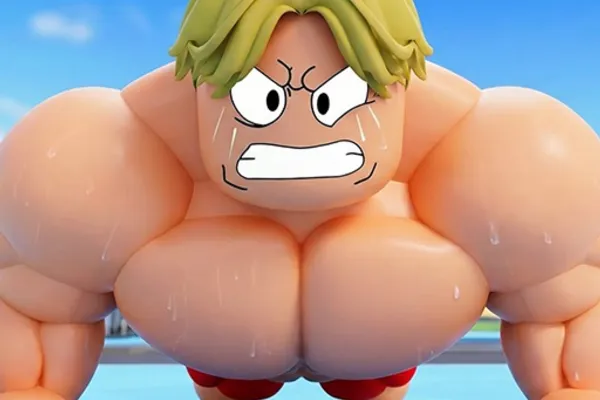
Gym Star Simulator 🏋️
0by Gym Simulator Club
📖 About
Gym Star Simulator is Roblox's ultimate bodybuilding experience, where you transform from a scrawny beginner into the world's most powerful bodybuilder. Beyond simple weight-lifting mechanics, you'll strategically train using various equipment to boost muscle and stamina, hire powerful trainers to unlock game-changing bonuses, and collect hundreds of unique pets through hatching and upgrading systems to accelerate your gains.
What sets this simulator apart is its depth in progression strategy. The pet collection system isn't merely cosmetic—each pet provides meaningful stat bonuses that directly impact your training efficiency. Similarly, trainer selection requires thoughtful decision-making, as you must allocate limited resources to maximize your growth potential. This layered approach transforms what could be a simple clicking game into a compelling resource-management experience where every choice shapes your path to gym legend status.
🔑 Active Codes 0 working
No active codes at the moment. Check back soon!
📝 Gym Star Simulator 🏋️ How to Redeem Codes
- 1Step 1: Launch Gym Star Simulator on your Roblox client.
- 2Step 2: Once the game loads, explore the interface to locate the 'Code' or 'Promo' button. It's typically positioned in the top-left or top-right corner, or accessible through the main menu.
- 3Step 3: Click the code input button to open the promo code window. A text field will appear where you can enter codes.
- 4Step 4: Type your promo code carefully into the input field and double-check for accuracy before submitting.
- 5Step 5: Click the 'Submit' or 'Redeem' button to activate the code. If valid, you'll receive an immediate confirmation message and your rewards (currency, pets, eggs, etc.).
- 6Step 6: Verify your inventory to ensure the rewards have been applied. If needed, restart the game to refresh and see all newly received items.
❓ FAQ
Where do I enter promo codes in Gym Star Simulator?
The promo code input window is typically located in the top-left or top-right corner of your screen. Some games hide the code button within the main menu or settings tab—look for a 'Code' or 'Promo' button. If you can't find it immediately, try clicking menu icons on the right side of the screen to reveal additional options. Once found, simply click the button to open the input field.
Why isn't my Gym Star Simulator promo code working?
Several factors could prevent code redemption: (1) Typos—verify correct capitalization and spelling, (2) Expired codes—check official community channels or Discord for currently active codes, (3) Already redeemed—some codes can only be used once per account, (4) Region restrictions—certain codes may only work in specific areas. After confirming these points, try restarting the game to refresh the system. If problems persist, contact the developer support.
How frequently are new promo codes released for Gym Star Simulator?
New promo code release frequency depends on the developer's update schedule and special events. Typically, codes are distributed during major game updates, milestone celebrations, or community events. To stay updated, regularly monitor the official Gym Simulator Club Discord server, in-game announcements on the Roblox game page, and dedicated community fan sites. Following these channels ensures you never miss an active code.
Are Gym Star Simulator promo code rewards free?
Yes, all rewards from promo codes are completely free. Developers distribute these codes to thank players and celebrate game milestones. However, note that some premium in-game items may require Robux (the premium currency) for purchase. Always prioritize redeeming free promo codes to maximize free progression without spending real money.