🔍 Find the Needle!
0by aarush's fruit game
📖 About
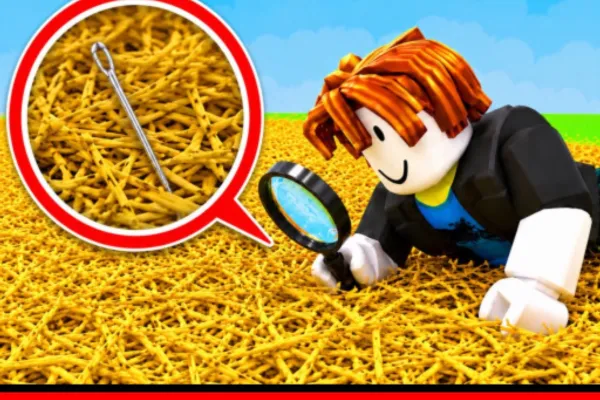
《Find the Needle!》is a unique casual game on Roblox that reinterprets the classic 'finding a needle in a haystack' concept into interactive gameplay. Your mission is to locate a single needle hidden among one million pieces of hay—a deceptively simple objective that tests both luck and patience. The game delivers that addictive sense of anticipation as you search through an impossible-odds scenario, creating a compelling gaming experience that keeps players coming back.
The progression system adds strategic depth to the haystack hunt. As you collect hay during your search, you can sell your findings for currency to purchase meaningful upgrades. These enhancements—such as faster hay collection, increased sale profits, and improved needle-finding chances—transform the game from pure luck into a more rewarding progression loop. This carrot-and-stick approach ensures players feel a sense of advancement even when the elusive needle remains undiscovered.
With over 3 million plays and consistently positive reception, 《Find the Needle!》appeals to players seeking a tension-filled search experience with a twist. Its straightforward mechanics belie an engaging, replayable adventure that blends chance with incremental progression, making it a standout title in the casual gaming category.
🔑 Active Codes 0 working
No active codes at the moment. Check back soon!
📝 🔍 Find the Needle! How to Redeem Codes
- 1Step 1: Launch Roblox and enter the 《Find the Needle!》game. Once the game fully loads, you'll see the main screen with the haystack and collection interface.
- 2Step 2: Look for a 'Codes' or 'Rewards' button on the game screen—typically found in the upper menu bar, sidebar, or near the settings icon (⚙️).
- 3Step 3: Click the codes menu to reveal a text input field. Paste or type the official code provided by the developer through the game group announcements or social media.
- 4Step 4: After entering the code, click the 'Submit' or 'Redeem' button to process it.
- 5Step 5: If the code is valid, your reward—such as hay, in-game currency, or an upgrade boost—will be added to your account instantly. A confirmation message will appear on screen.
- 6Step 6: Return to the main game screen and apply your rewards. Use the currency to purchase upgrades or continue your needle-hunting adventure with enhanced capabilities.
❓ FAQ
Where do I enter codes in 《Find the Needle!》?
After launching the game, look for a 'Codes' or 'Rewards' button typically located in the top menu bar or sidebar, often near the settings icon (⚙️). Click it to open the code input box. The exact location may vary depending on recent game updates, so check the official game group's instructions if you're unsure.
What should I do if a code isn't working in 《Find the Needle!》?
First, verify that you've entered the code with exact spelling, including uppercase letters, numbers, and special characters. If it still doesn't work, the code may have expired. Check the official game group or in-game announcements for the current active codes, and try a newly released code instead.
How often are new codes released for 《Find the Needle!》?
Code release frequency depends on the developer's update schedule and in-game events. To stay updated with new codes, join the official Roblox game group and regularly check announcements and event postings. Developers typically release codes through the group first before sharing elsewhere.
Are codes for 《Find the Needle!》free to use?
Yes, all official codes are completely free. Using legitimate codes provided by the game developer grants you free rewards such as hay, in-game currency, or item boosts at no cost. Avoid using codes from unofficial third-party websites or scam sites, as these may compromise your account security.