Rap Battles!🎤
0by Osyriss Studios
📖 About
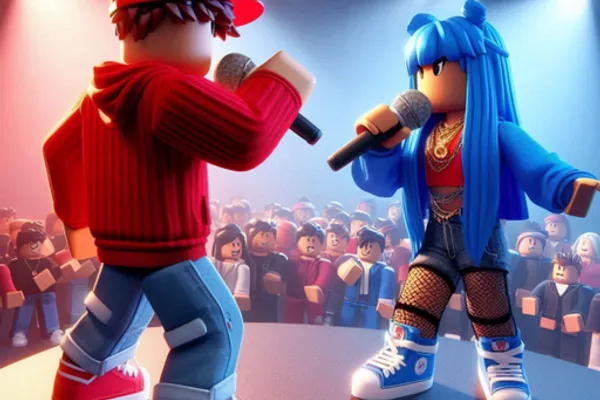
『Rap Battles!🎤』 is a unique rap battle game on Roblox that transcends typical fighting mechanics to become a creative platform for musical self-expression. The core gameplay centers on engaging in real-time rap battles with other players while showcasing your individual style. By combining eye-catching microphones, unique beats, and diverse visual elements, you can craft a completely personalized rapper avatar that stands out on stage.
The game's depth lies in its extensive customization system, where players purchase and equip pets, auras, and stage effects such as smoke, sparkles, and neon lighting to create their signature performance atmosphere. As you climb the competitive leaderboards, you unlock a sense of achievement beyond typical battle progression. Rap Battles! masterfully blends the tension of competitive gameplay with the creative freedom of music production, making it ideal for players seeking both musical expression and competitive gaming.
🔑 Active Codes 0 working
No active codes at the moment. Check back soon!
📝 Rap Battles!🎤 How to Redeem Codes
- 1Step 1: Launch 『Rap Battles!🎤』 from Roblox and wait for the game to fully load.
- 2Step 2: Locate the 'Redeem Code' or 'CODE' button on the main game menu. It is typically found in the upper left or right corner, or within the game settings menu.
- 3Step 3: When the code input window opens, carefully type the provided code (example: 'Version4'). Ensure you match the capitalization exactly as shown.
- 4Step 4: Click the 'Submit' or 'Enter' button to redeem your code.
- 5Step 5: Upon successful redemption, a notification will appear on your screen confirming your reward. For instance, the code 'Version4' grants you 350 gems.
- 6Step 6: Check your newly acquired rewards in your inventory and visit the in-game shop to purchase cosmetics or customize your rapper avatar.
❓ FAQ
Where do I redeem codes in 『Rap Battles!🎤』?
After launching the game, look for a 'Redeem Code,' 'CODE INPUT,' or similar button on the main menu. These are typically located in the upper left or right corner of the screen, or within the settings/options menu. Click this button to open the code input window where you can paste or type your code.
My code isn't working in 『Rap Battles!🎤』. What should I do?
First, verify that you've entered the code exactly as provided, including correct capitalization and all characters. For example, 'Version4' is different from 'version4' or 'VERSION4'. Additionally, codes may expire over time, so check the official game group or in-game announcements for the latest active codes. If the code is recent and correctly entered, the issue may be a temporary server problem.
How often are new codes released for 『Rap Battles!🎤』?
New promotional codes are released periodically by the developers, but the exact frequency depends on their update schedule and special events. To stay updated with the latest codes, we recommend joining the official game group, regularly checking in-game announcements, and following the developer's social media or blog posts for code releases.
Are the codes for 『Rap Battles!🎤』 free?
Yes, all promotional codes distributed by the official channels are completely free. By redeeming codes like 'Version4,' you receive gems, microphones, or other items at no cost. However, additional items available in the in-game shop may require Robux (the premium Roblox currency) for purchase.