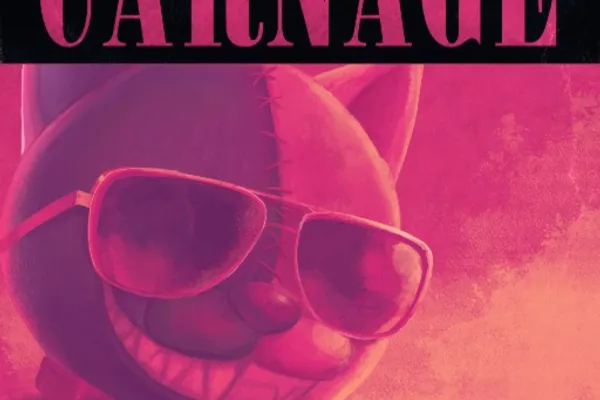
CARNAGE [UPDATE]
0by NECR0POLlS
💬 Comments 0
📖 About
CARNAGE is a Roblox game where you participate in a deadly game hosted by an eccentric and mysterious host. Players must complete various challenges and missions under the host's control while competing for survival against other participants. Currently in alpha stage, the game has captivated over 22 million players worldwide with its unique storytelling and engaging gameplay mechanics.
The core appeal of CARNAGE lies in its dynamic mission structure and tactical gameplay. You'll need to switch between different bullet modes strategically while progressing through challenges that unfold the host's cryptic narrative. Regular updates every 1-2 weeks ensure fresh content and continuous improvements to the gaming experience, keeping the community engaged and the gameplay evolving.
The game features intuitive controls and a comprehensive handbook system suitable for both beginners and experienced players. Access the menu with M key to learn the ropes, utilize double-tap W for sprinting to execute your survival strategy, and skip dialogue with E or Space bar to maintain your gaming pace. Every element is designed to make your participation in this dark, competitive game world both accessible and thrilling.
🔑 Active Codes 0 working
No active codes at the moment. Check back soon!
📝 CARNAGE [UPDATE] How to Redeem Codes
- 1Step 1: Launch the CARNAGE game and wait for it to fully load. The game interface will appear along with the host's initial guidance and narrative.
- 2Step 2: Access the game menu by pressing M on your keyboard. This opens the Handbook which contains game information and redemption options for codes.
- 3Step 3: Look for a 'Redeem Code' or 'Code Input' section within the menu. This button is typically located on the left or right side of the main interface.
- 4Step 4: Carefully enter the active code into the input field. Pay attention to uppercase and lowercase letters, as codes are case-sensitive.
- 5Step 5: Click the 'Submit' or 'Confirm' button to redeem your code. Upon successful validation, your reward will immediately appear in your inventory.
- 6Step 6: Verify your reward and return to gameplay by pressing M again to close the menu. Continue your journey in CARNAGE with your new rewards.
❓ FAQ
Where do I enter codes in CARNAGE?
Press M to open the Handbook menu, then look for the 'Redeem Code' or 'Code Input' section. It's typically located on the side of the main menu interface where you can paste and submit your code.
Why isn't my CARNAGE code working?
Ensure you've entered the code with exact capitalization, as codes are case-sensitive. Additionally, the code may have expired. Check the official Discord server or in-game announcements for the latest active codes.
How frequently are new CARNAGE codes released?
Since the game receives updates every 1-2 weeks, new codes are typically distributed alongside these updates. Subscribe to official Discord notifications and in-game announcements to stay informed about new code releases.
Are CARNAGE code rewards free?
Yes, all rewards obtained through codes are completely free. Following standard Roblox practices, all code-based rewards provided by the developers can be claimed by any player at no cost.