[NEW] Gunung Kambuno
0by WESTSIDE's Community
💬 Comments 0
📖 About
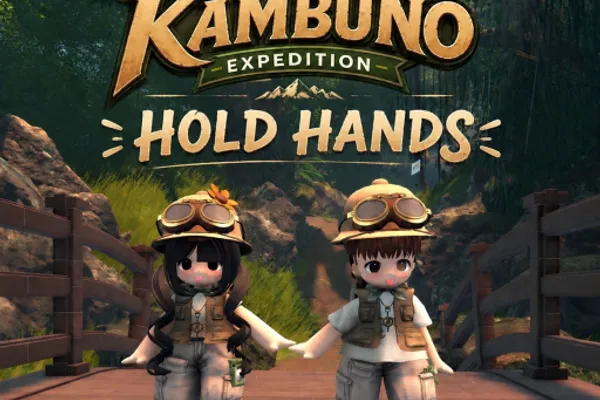
Gunung Kambuno is a mountain climbing simulation game inspired by the real Kambuno mountain located in North Luwu Regency, South Sulawesi, Indonesia. Players embark on an expedition to reach the 2,950-meter summit while experiencing realistic natural environments including forests, hiking trails, waterfalls, and lakes. The journey is structured with 16 checkpoints strategically placed throughout the expedition, allowing players to save their progress and track their climbing achievements.
What sets Gunung Kambuno apart is its focus on an immersive, contemplative climbing experience rather than rapid progression. The game encourages players to explore diverse routes, appreciate the surrounding landscape details, and genuinely experience the challenge of high-altitude mountaineering. With realistic terrain design and ambient natural sounds, it creates an authentic expedition atmosphere that transports players to Indonesia's natural beauty. Developed by WESTSIDE's Community and already enjoyed by nearly a million players, this game delivers a unique adventure that blends education, exploration, and genuine mountaineering simulation.
🔑 Active Codes 0 working
No active codes at the moment. Check back soon!
📝 [NEW] Gunung Kambuno How to Redeem Codes
- 1Step 1: Find and launch the "Gunung Kambuno" game on the Roblox platform, then join a server to begin your expedition.
- 2Step 2: Once the game fully loads and your character spawns, locate the menu button on your screen—typically found in the upper left or upper right corner, often represented by a gear icon.
- 3Step 3: Open the menu and look for a "Codes" or "Promo Codes" option. This is usually found within the game's reward or settings section.
- 4Step 4: Click on the code input field and carefully type your promo code. Note that codes are case-sensitive, so enter them exactly as provided.
- 5Step 5: Click the "Apply" or "Submit" button to validate your code.
- 6Step 6: Upon successful entry, you will receive a confirmation message and your rewards will automatically be added to your in-game inventory.
❓ FAQ
Where do I enter promo codes in Gunung Kambuno?
Open the game's menu (usually located in the top-left corner, represented by a gear icon), then navigate to the rewards or codes section. Look for an option labeled "Codes" or "Promo Codes," click it, and enter your code in the input field that appears. After entering, click Submit to validate.
My Gunung Kambuno promo code isn't working. What should I do?
Verify that you've entered the code exactly as provided—codes are case-sensitive and spaces or special characters must match precisely. Try restarting the game and attempting again. Also confirm that the code hasn't expired or been previously used on your account.
How often are new Gunung Kambuno promo codes released?
WESTSIDE's Community regularly releases new promo codes for players. To stay updated with the latest codes, follow the game's official social media accounts, join their official Discord server, or check community channels dedicated to the game.
Are Gunung Kambuno promo codes free to use?
Yes, all promo codes for Gunung Kambuno are completely free. Any code released by the developers can be redeemed by any Roblox player at no cost to receive rewards.