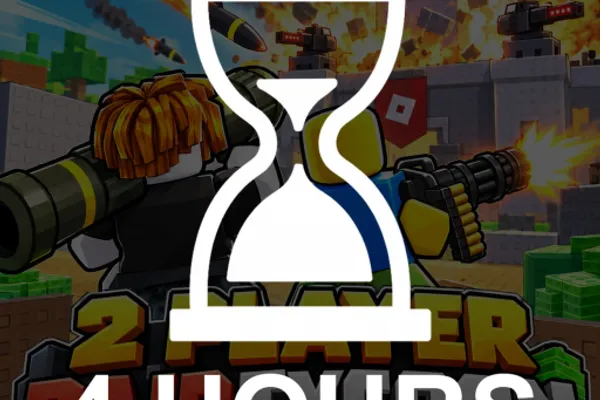
[UPD] 2 Player Raid Tycoon
0by STRAY FRAME
💬 Comments 0
📖 About
2 Player Raid Tycoon is a cooperative factory-building game where you and a friend construct production lines and raid rival players' operations. Choose your side of the factory and start earning cash by setting up droppers, conveyors, and upgraders across multiple floors. The game combines traditional tycoon progression with competitive PvP raids, creating a unique blend of economic strategy and action gameplay.
As you expand your factory, you'll unlock 9 different weapons ranging from basic pistols to heavy-hitting flamethrowers to assault your competitors. The two-player team structure means you'll coordinate with your partner while defending against raids and planning your own offensive strategies. This dual-phase gameplay—building peacefully one moment and engaging in factory warfare the next—keeps the experience fresh and competitive throughout your playtime.
🔑 Active Codes 0 working
No active codes at the moment. Check back soon!
📝 [UPD] 2 Player Raid Tycoon How to Redeem Codes
- 1Step 1: Launch the game and form a team with your friend in the lobby. Wait for the game to fully load before proceeding.
- 2Step 2: Look for the 'Shop' button, typically located in the upper left or right corner of your screen. It's usually marked with a money or shopping bag icon.
- 3Step 3: Once the Shop menu opens, locate the 'Code Input' or 'Promo Code' section. You'll find a text input field ready for entry.
- 4Step 4: Type the code you want to redeem (for example, 'TY3500') exactly as written. Codes are case-sensitive and must be entered precisely.
- 5Step 5: Click the 'Redeem' or 'Confirm' button to submit your code.
- 6Step 6: If the code is valid, your rewards (cash, items, or other bonuses) will be instantly added to your account, and a confirmation message will appear on screen.
❓ FAQ
Where do I enter codes in 2 Player Raid Tycoon?
Click the Shop button at the top of your game screen—it's usually marked with a money or shopping bag icon. Once the Shop menu opens, look for the 'Promo Code' or 'Code Input' section where you can type your code.
My code isn't working in 2 Player Raid Tycoon. What should I do?
First, double-check that you've entered the code exactly as written. Codes are case-sensitive, so 'TY3500' must be typed precisely. Codes may also have expiration dates, so verify that your code is still active. If issues persist, try restarting the game and attempting to redeem the code again.
How often are new codes released for 2 Player Raid Tycoon?
Developer STRAY FRAME releases new codes periodically to celebrate game updates and milestones. For example, 'TY3500' is a standard thank-you code, while special codes are unlocked when the game reaches community goals like 4500 likes. Check the in-game announcements or the developer's official channels for the latest active codes.
Are codes in 2 Player Raid Tycoon free to use?
Yes, all promo codes are completely free. Redeeming a code gives you in-game rewards like cash, items, or bonuses at no cost. Official Roblox game codes never require real money, so you can safely use them without any expenses.