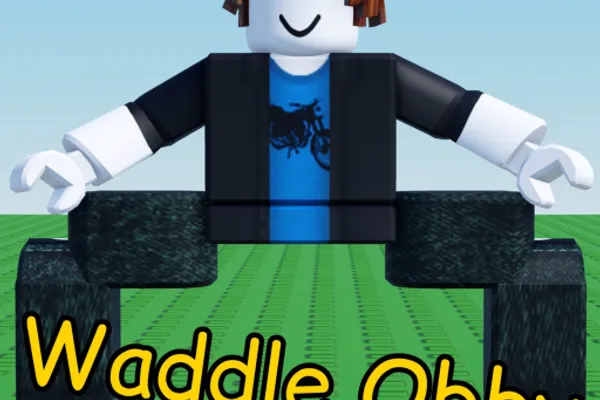
Waddle Obby
0by Aquatic Arcade
💬 Comments 0
📖 About
Waddle Obby reinvents the classic obby genre with a refreshingly unique mechanic: moving like a penguin by placing one foot in front of the other instead of jumping. This clever twist removes the jumping element entirely, forcing players to rely on precise footwork, timing, and balance to navigate through challenging obstacles. The game transforms what many consider a core obby mechanic into an entirely new puzzle of motor control and spatial awareness.
With hazards ranging from moving platforms and flowing lava to spinning obstacles, every step must be calculated carefully. The satisfying left-right foot control system becomes increasingly intuitive as you progress, turning an initially awkward control scheme into an engaging rhythm game of sorts. The built-in stat tracker displaying your completion time, total steps taken, deaths, and skips used lets you measure your improvement and set personal challenges. Waddle Obby proves that obby games can innovate far beyond traditional jump-based gameplay.
This week's popular gear
🔑 Active Codes 0 working
No active codes at the moment. Check back soon!
📝 Waddle Obby How to Redeem Codes
- 1Step 1: Launch Waddle Obby and wait for the lobby screen to fully load.
- 2Step 2: Look for a 'Codes' or 'Rewards' button, typically located in the upper right corner of the screen or accessible through the main menu interface.
- 3Step 3: Click to open the code redemption window, which should display a text input field.
- 4Step 4: Carefully type in your valid game code, ensuring there are no extra spaces or typos.
- 5Step 5: Press the 'Submit' or 'Redeem' button to process the code.
- 6Step 6: If successful, you'll receive a confirmation message and your rewards (Robux or in-game items) will be instantly added to your account. Dismiss the notification and continue waddling!
❓ FAQ
Where do I input codes in Waddle Obby?
On the lobby screen, look for a 'Codes' or 'Rewards' button, typically located in the upper right corner or within the main menu. Click it to open the code redemption window, then type your valid code into the input field that appears.
I entered a code but it's not working. What should I do?
First, double-check that you typed the code exactly as shown, including any hyphens or capitalization. The code may have expired, so verify that it's still active on the official Aquatic Arcade social media channels or the game's official group. Additionally, ensure your account is logged in and your game is updated to the latest version.
How often are new codes released for Waddle Obby?
Aquatic Arcade releases new codes regularly through various events and milestones. While there's no fixed schedule, you can stay updated by following the official game group, Discord server, and the developer's social media accounts. These channels typically announce new codes shortly after they're released.
Are Waddle Obby codes free to use?
Yes, all official codes are completely free. Entering valid developer-released codes will reward you with Robux or in-game items at no cost. However, codes often have expiration dates, so it's best to redeem them as soon as they're announced.