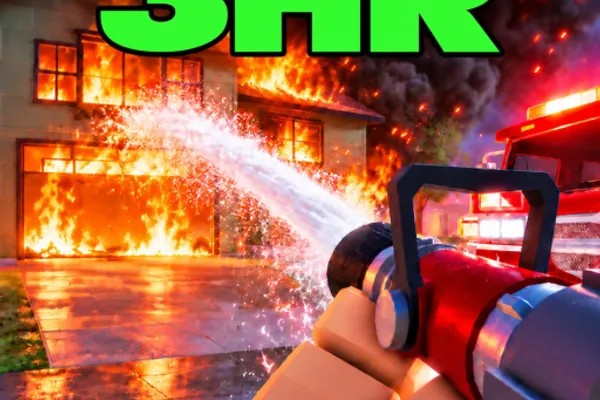
Firefighting Sim 🚒
0by Blackbox Express
💬 Comments 0
📖 About
Firefighting Sim is an immersive simulation game on Roblox that puts you in the boots of a real firefighter. You'll answer 911 emergency calls, race your fire truck through the streets of Oak Ridge with sirens blazing, and tackle fires that spread with realistic physics. It's more than just extinguishing flames—you'll rescue people trapped inside buildings, manage your crew, and handle complex rescue scenarios all from a first-person perspective that makes every call feel urgent and genuine.
What sets this game apart is its impressive fleet of 20+ specialized fire vehicles, from standard engines and aerial ladder trucks to tanker units, brush trucks, and rescue ambulances. Each vehicle comes with authentic siren sounds and unique equipment. You'll use axes and chainsaws to force entry into burning buildings, deploy ladders to reach people on upper floors, and coordinate with your team to handle increasingly challenging emergencies. The combination of realistic fire behavior, varied equipment, and team-based gameplay creates a firefighting experience that demands both strategy and quick reflexes.
This week's popular gear
🔑 Active Codes 0 working
No active codes at the moment. Check back soon!
📝 Firefighting Sim 🚒 How to Redeem Codes
- 1Step 1: Launch Firefighting Sim on Roblox and wait for the game to fully load.
- 2Step 2: Look for a 'Codes' or 'Rewards' button, usually located in the upper left corner or accessible through the main menu interface. It may appear as a gift box or special icon.
- 3Step 3: Click to open the code redemption window and paste or type your valid code into the input field. Make sure to match uppercase and lowercase letters exactly.
- 4Step 4: Press the 'Submit' or 'Redeem' button to process your code.
- 5Step 5: If the code is valid, you'll receive your reward (cash, vehicle skins, equipment, cosmetics) immediately to your inventory.
- 6Step 6: Restart the game or refresh your inventory to see your new items in action.
❓ FAQ
Where do I input codes in Firefighting Sim?
Look for the code or rewards button in the game lobby or main menu. It's typically located in the upper left corner or within the menu interface. Click it to open the code redemption window where you can paste or type your code.
My code isn't working in Firefighting Sim. What should I do?
First, double-check the capitalization and spelling—codes are case-sensitive. Second, verify that the code hasn't expired; older codes may no longer be valid. Third, if you've already redeemed the code, you can't use it again. Try entering a fresh, recently released code instead.
How often are new codes released for Firefighting Sim?
Check the game's official channels and community regularly for new codes. They're typically released during special events, major updates, or when the game reaches milestones. Frequency varies, so joining the official Discord server or following the developer's social media is the best way to stay updated.
Are Firefighting Sim codes free to redeem?
Yes, all official codes are completely free. Entering valid codes distributed by the developer grants you free rewards such as in-game currency, vehicle skins, equipment, and cosmetics. No Robux payment is required to redeem codes.