Evolve a Cell
0by Splitline: Creative
💬 Comments 0
📖 About
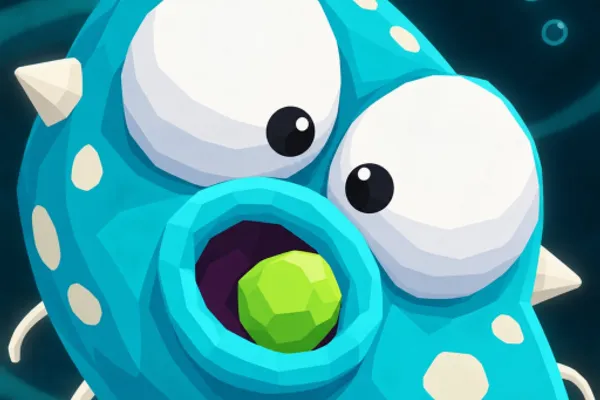
《Evolve a Cell》is a microbial simulation game where you start as a tiny cell in a pond and must survive by eating, hunting, and evolving. The game combines survival mechanics with creative customization, as you progressively grow stronger and larger while competing against other players and AI creatures in a dangerous aquatic ecosystem.
The game's standout feature is its robust evolution and customization system. As you consume resources and defeat enemies, you unlock new biological features—jaws, spikes, eyes, tails, and more—that you can attach to your creature and paint in custom colors. Inspired by the classic《Spore》, this system strikes a balance between competitive gameplay and creative self-expression, allowing each player to build a truly unique organism.
From microscopic beginnings to facing off against colossal boss creatures, your journey is marked by constant evolution and strategic decision-making. The game challenges you to adapt your body design and hunting tactics to survive in an ever-changing environment, making every session a fresh adventure in cellular domination.
This week's popular gear
🔑 Active Codes 0 working
No active codes at the moment. Check back soon!
📝 Evolve a Cell How to Redeem Codes
- 1Step 1: Launch《Evolve a Cell》on Roblox and wait for the game to fully load.
- 2Step 2: Look for a code input button or 'Redeem Code' option, typically located in the lower-left corner, menu bar, or settings area of the game interface.
- 3Step 3: Click the code input button to open a text field where you can enter your code. Make sure to type it correctly, paying attention to capitalization.
- 4Step 4: Enter the valid code into the input field and submit it by clicking a confirm button or pressing Enter.
- 5Step 5: If the code is valid, you'll receive a reward notification immediately. The reward (usually in-game currency or exclusive items) will be added to your account.
- 6Step 6: Confirm your reward and return to gameplay. Use your newly acquired resources to evolve and customize your cell for better performance.
❓ FAQ
Where do I enter codes in《Evolve a Cell》?
The code input button is typically located in the lower-left area of the game screen or within the menu/settings section. Look for a button labeled 'Redeem Code' or an icon resembling a gift box. Click this button after launching the game to open the code input interface.
Why isn't my code working in《Evolve a Cell》?
First, double-check that you've entered the code with correct capitalization and spelling. Some codes have expiration dates or may have already expired. Additionally, most codes can only be redeemed once per account, so you cannot use the same code twice. Check the official developer channels or community forums for currently active codes.
How often are new codes released for《Evolve a Cell》?
New codes are released periodically, but there's no fixed schedule. The developers typically release codes during events, updates, or special occasions. To stay updated on the latest codes, regularly check the game's official channels, the Discord community, or the game's Roblox page for announcements.
Are codes in《Evolve a Cell》free to use?
Yes, all codes are completely free. Redeeming codes is a way to earn in-game rewards without spending real money. However, be aware that some rewards may be tied to limited-time codes, so it's best to redeem them as soon as possible before they expire.