Pickaxe Tycoon ⛏️
0by Popular Marketplace
💬 Comments 0
📖 About
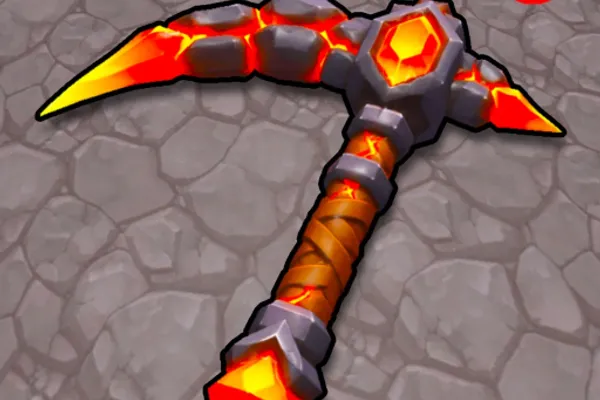
Pickaxe Tycoon is a mining empire builder where you start with a single basic pickaxe and climb your way to owning a colossal tower of rare and powerful tools. The core loop is straightforward: mine ore, convert it to currency, and reinvest your profits into better equipment. What sets this game apart is its fusion mechanic—combine two pickaxes of the same tier to create a superior version, progressively unlocking higher tiers with exponentially greater mining power.
Your ultimate goal is to construct an enormous mining tower while collecting every available pickaxe in the game. The journey from humble beginnings to managing a sprawling collection of tools provides steady progression and tangible growth. With over 51 million plays, Pickaxe Tycoon has proven that the combination of accessible idle mechanics and collection-based gameplay can captivate players seeking both casual gameplay and completionist challenges.
This week's popular gear
🔑 Active Codes 0 working
No active codes at the moment. Check back soon!
📝 Pickaxe Tycoon ⛏️ How to Redeem Codes
- 1Step 1: Launch Pickaxe Tycoon through the Roblox app or website and wait for the game to fully load.
- 2Step 2: Look for a 'Code' or 'Rewards' button, typically located in the top-right corner or left menu panel. Click it to open the code redemption interface.
- 3Step 3: A text input field will appear. Copy and paste a valid promotional code into this field, or type it manually.
- 4Step 4: Click the 'Submit' or 'Apply' button to validate your code.
- 5Step 5: If the code is valid, a confirmation message will appear and your reward—such as ore or mining boosters—will be credited to your inventory.
- 6Step 6: Continue playing and use your earned rewards to accelerate your mining progress and tower construction.
❓ FAQ
Where do I enter promo codes in Pickaxe Tycoon?
After launching the game, look for a 'Code' or 'Rewards' button, usually found in the top-right corner or left menu area. Click this button to open the code redemption window where you can paste or type your promotional code.
What should I do if my Pickaxe Tycoon code doesn't work?
Double-check that you've entered the code exactly as written, including uppercase letters, lowercase letters, and any special characters. The code may have already been redeemed on your account or may be expired. Check the developer's official social media, Discord server, or fan communities for the latest active codes.
How often are new promo codes released for Pickaxe Tycoon?
The frequency of new codes depends on the developer's event schedule and major milestones. Following the official social media channels, Discord community, and fan wikis is the best way to stay updated on new code releases.
Are Pickaxe Tycoon promo codes really free?
Yes, all promotional codes are completely free. They are released by the developer as gestures of appreciation to the community, to celebrate milestones, or during special events. You never need to pay real money or spend in-game currency to redeem them.