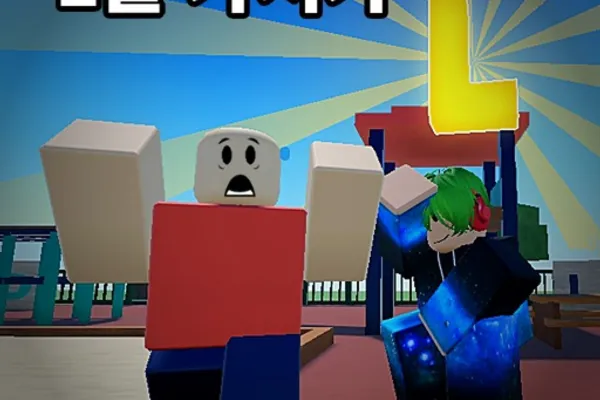
[🎃] Korean Take the L! Battle
0by BKEL STUDIO
💬 Comments 0
📖 About
[Emote] Korean Take the L! Battle brings a uniquely Korean twist to the classic hot potato format. In this fighting-style game, players must frantically pass around an explosive 'L' to avoid being caught holding it when the timer runs out. The twist lies in the mystery countdown—you'll only see the final 5 seconds ticking away, making every moment filled with uncertainty and tension. Speed and reflexes are essential as you navigate the playground, strategically touching other players to offload the dangerous L before it detonates. The last player holding the L is eliminated, and the battle continues until only one survivor remains.
This week's popular gear
🔑 Active Codes 0 working
No active codes at the moment. Check back soon!
📝 [🎃] Korean Take the L! Battle How to Redeem Codes
- 1Step 1: Search for '[Emote] Korean Take the L! Battle' on Roblox and navigate to the game's main page.
- 2Step 2: Click the 'Play' button to enter the game and wait for it to fully load.
- 3Step 3: Once in the game lobby, locate the code redemption menu. This is typically found in the upper left corner of the screen or within the main menu panel.
- 4Step 4: Click the code input button (usually labeled 'Redeem Code' or similar) to open the input window.
- 5Step 5: Carefully enter your code into the text field and click the 'Redeem' or 'Confirm' button.
- 6Step 6: If the code is valid, your reward (emotes, in-game currency, etc.) will be added to your inventory immediately, and you can continue playing.
❓ FAQ
Where do I enter codes in Korean Take the L! Battle?
After entering the game, look for the code redemption menu in the lobby. It's usually located in the top-left or top-right corner of your screen as a 'Redeem Code' button or gift icon. Click it to open the input window where you can enter your code.
My code isn't working in Korean Take the L! Battle. What should I do?
First, verify that you've entered the code exactly as provided, including uppercase/lowercase letters, spaces, and special characters. The code may have expired, so check if it's a current code. If problems persist, try restarting the game and attempting again.
How often are new codes released for Korean Take the L! Battle?
Code release frequency depends on the developer's update schedule. New codes are typically announced on the official game page, the developer's social media channels, or the Roblox community. Check the game's announcements regularly for the latest codes.
Are the codes in Korean Take the L! Battle free to use?
Yes, all official codes are completely free to redeem. The rewards you receive (emotes, in-game currency, etc.) don't cost anything. However, as with most Roblox games, there may be optional paid purchases available.