Make Rugs!
0by Playmade
📖 About
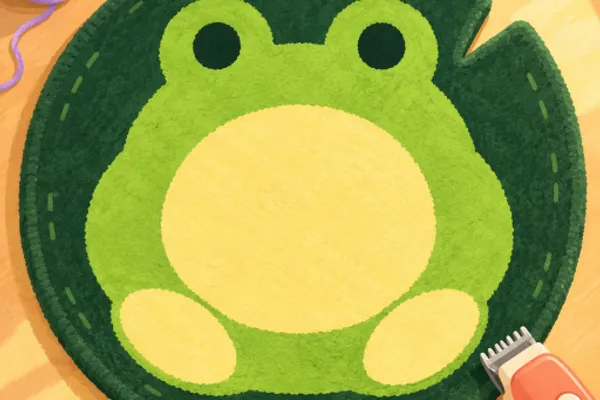
Make Rugs! is a crafting simulation game where you collect colorful yarn, design patterns, and handcraft rugs from start to finish. The core appeal lies in the tactile satisfaction of the creation process—rolling for rare yarn colors, using your tufting tool to bring designs to life, and shaving the rug smooth for a polished final product. Each step delivers visual and sensory gratification as your artistic vision becomes a tangible 3D rug before your eyes.
Beyond pure crafting, Make Rugs! incorporates business simulation mechanics that add depth and long-term progression. You sell your completed rugs to customers through your shop, manage orders via your in-game phone, and hire employees to expand your studio's production capacity. This progression system transforms the game from a simple maker experience into an entrepreneurial journey—growing from a humble workshop into a thriving rug-making enterprise. The blend of creative expression and business strategy creates engaging, varied gameplay that appeals to both casual crafters and strategy enthusiasts.
🔑 Active Codes 0 working
No active codes at the moment. Check back soon!
📝 Make Rugs! How to Redeem Codes
- 1Step 1: Launch Make Rugs! and wait for the game to fully load.
- 2Step 2: Look for a 'Code' or 'Redeem' button on the main screen. It's typically located in the top menu bar or near the settings icon (⚙).
- 3Step 3: Click the code input button to open the redemption menu, where a text input field will appear.
- 4Step 4: Carefully enter the valid promotional code you've found in the text field.
- 5Step 5: Click the 'Submit' or 'Redeem' button to activate the code.
- 6Step 6: If the code is valid, your rewards—whether rare yarn colors, inventory slots, or currency—will be immediately added to your account. You'll receive a confirmation message.
❓ FAQ
Where do I enter promo codes in Make Rugs!?
Look for a 'Code' or 'Redeem' button on the main menu—it's typically located at the top of the screen, near the settings icon (⚙), or in the left-side menu. Click it to open the code input window where you can paste or type the promotional code.
My Make Rugs! code isn't working. What should I do?
First, verify that you've entered the code exactly as it appears—capitalization, numbers, and symbols all matter. Check if the code has expired, as promotional codes have limited validity periods. Also, remember that codes can only be redeemed once per account. If problems persist, try restarting the game and attempting to redeem again.
How often do new Make Rugs! promo codes get released?
New codes are typically released on a schedule determined by the developer, Playmade. They often appear during major updates, special events, or when the community reaches certain milestones. To stay updated, follow the official Make Rugs! Discord server, the developers' social media accounts, or check the game's Roblox page regularly.
Are Make Rugs! promo codes free?
Yes, all official promotional codes are completely free to use. Simply log into your Roblox account, enter the code, and claim your rewards at no cost. However, if you wish to purchase premium in-game items, you'll need Robux, which is Roblox's paid currency.