[x2💵] Steel Fighters
0by WeShowProjects
💬 Comments 0
📖 About
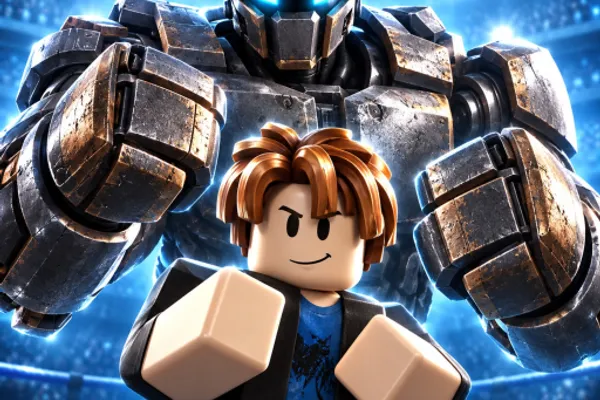
Steel Fighters is a distinctive robot-building combat game on Roblox that goes beyond typical fighting games with deep customization mechanics. Players build powerful robots by mixing and matching parts from over 100 different robot designs, then battle through endless dungeon floors and epic boss encounters. The true depth of the game lies in strategic part combination—each assembly creates a uniquely performing machine, making customization decisions crucial to progression and success.
The game features an engaging economic loop centered around resource management and growth. Brave the dangerous Junkyard to collect scrap materials for upgrading your robot, and utilize the Rebirth system to start anew at a higher power level. Cooperative play with friends yields 50% bonus cash rewards, encouraging teamwork, while competitive PvP battles let you test your creation against other players' robots. This blend of building strategy, PvE progression, and player competition creates a compelling long-term gameplay experience.
🔑 Active Codes 0 working
No active codes at the moment. Check back soon!
📝 [x2💵] Steel Fighters How to Redeem Codes
- 1Step 1: Launch Steel Fighters and wait for the game to fully load into the lobby.
- 2Step 2: Look for a code redemption button on the main lobby screen. It's typically located in the upper right corner, left sidebar menu, or near a 'Rewards' / 'Codes' labeled button.
- 3Step 3: Click the code input button to open the redemption window.
- 4Step 4: Carefully enter a valid Steel Fighters code into the text field. Case sensitivity matters, so type exactly as provided.
- 5Step 5: Press the 'Submit' or 'Confirm' button to validate the code.
- 6Step 6: If the code is valid, you'll receive a 'Reward Claimed' confirmation message, and your robot parts, scrap, or other in-game rewards will be added to your inventory instantly.
❓ FAQ
Where do I enter codes in Steel Fighters?
The code redemption button in Steel Fighters is located on the lobby screen. After launching the game and entering the lobby, look for a button labeled 'Enter Code', 'Rewards', or similar text, typically in the upper right area or within the menu section. Clicking this button opens the code input window.
My Steel Fighters code isn't working. What should I do?
If your code doesn't work, verify: 1) You entered it exactly as written (case-sensitive), 2) The code hasn't expired, 3) You haven't already redeemed it on this account. Check the official Steel Fighters group or Discord for the latest active codes. If the issue persists after verifying these points, report it to the game developers.
How often does Steel Fighters release new codes?
Steel Fighters code release frequency depends on the developer's update schedule and in-game events. Joining the official group and enabling notifications ensures you catch new codes quickly. Additionally, liking the game grants free rewards, so checking regularly is worthwhile.
What rewards do Steel Fighters codes provide?
Steel Fighters codes typically reward robot parts, in-game currency (scrap), or special robot items to aid progression. Free robot and part rewards are also available through group membership, favoriting the game, and reaching certain milestones, so take advantage of all available free reward opportunities.