The Hollow
0by Roblox Presents
💬 Comments 0
📖 About
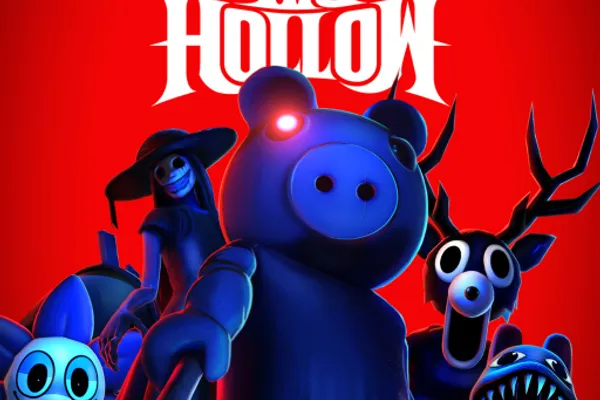
The Hollow is a psychological horror exploration game presented on the Roblox platform, featuring an enigmatic location with no official documentation. Players venture into an unknown space where each night presents unpredictable and unsettling environments. The game deliberately avoids explicit guidance, relying instead on player intuition and exploration to navigate through increasingly surreal situations. With no clear objectives or rules, the experience becomes more about discovery and survival than traditional gameplay mechanics.
What sets The Hollow apart is its emphasis on atmosphere and psychological tension rather than jump scares. The disconcerting premise that familiar places contain impossible elements creates a sense of deep unease. The game's mysterious nature has attracted content creators who stream their playthroughs live, turning individual fear into shared community experience. This viral aspect has contributed to its significant player engagement, making it more than just a game but a cultural phenomenon within the Roblox community.
This week's popular gear
🔑 Active Codes 0 working
No active codes at the moment. Check back soon!
📝 The Hollow How to Redeem Codes
- 1Step 1: Launch The Hollow on Roblox and wait for the game to fully load. Once the starting interface appears, you're ready to proceed.
- 2Step 2: Look for the menu button or settings icon, typically located in the top-left or top-right corner of your screen. Click to open the main menu.
- 3Step 3: Navigate through the menu options to find 'Codes', 'Redeem Code', 'Promotions', or a similar option related to code redemption.
- 4Step 4: Locate the text input field and carefully enter the promotional code. Pay close attention to capitalization and special characters to ensure accuracy.
- 5Step 5: Click the 'Submit', 'Redeem', or 'Confirm' button to validate your code.
- 6Step 6: If the code is valid, your rewards will be added to your inventory instantly. If you receive an error message such as 'Code already used' or 'Invalid code', the code may have expired or been previously claimed.
❓ FAQ
Where do I enter codes in The Hollow?
Code redemption options are typically found in the main menu or settings screen, look for buttons labeled 'Codes', 'Redeem', 'Rewards', or 'Promotions'. Given the game's minimalist design philosophy, the button may be subtle—check the corners of the screen or look for small icons that might reveal hidden menu options.
Why isn't my The Hollow code working?
Several factors could prevent a code from working: (1) you've already redeemed the code on your account, (2) the code has expired, (3) you've entered it with incorrect capitalization or special characters, or (4) the code is no longer valid due to game updates. Try re-entering the code carefully, character by character.
How often are new codes released for The Hollow?
The Hollow doesn't follow a predictable code release schedule. Codes are typically distributed by developers during special events, milestones, or community celebrations. To stay updated, monitor official community channels, Discord servers, or the developer's announcements.
Are The Hollow promo codes free?
Yes, all promotional codes are completely free to redeem. When you enter a valid code, you'll receive in-game rewards at no cost. However, not all codes are available to all players simultaneously, as developers distribute them selectively.