[🎃]AOONI Nightmare
0by AOONI PROJECT
💬 Comments 0
📖 About
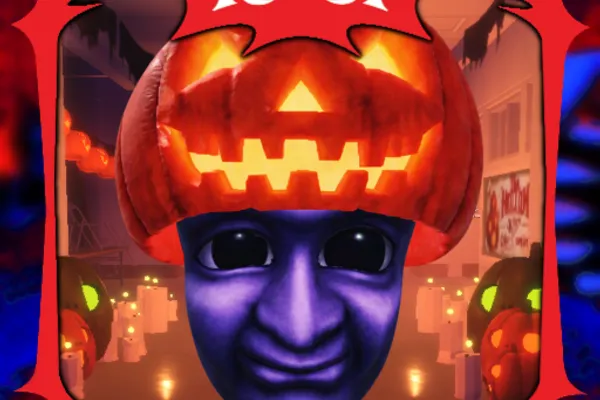
「AOONI Nightmare」brings the legendary Japanese horror IP 'AOONI' to Roblox with an intense multiplayer experience. You start as an ordinary student living a peaceful school life, only to suddenly find yourself trapped in a nightmarish scenario where you must either escape from—or become—the terrifying blue monster known as AOONI. This asymmetrical PvP horror game creates thrilling cat-and-mouse dynamics between survivors and the pursuing creature.
The core gameplay revolves around tense pursuit and evasion mechanics. As a survivor, you'll navigate atmospheric environments including classic school settings and the recently added underground stage, relying on stealth, speed, and teamwork to evade the AOONI. When you become AOONI, you transform into a powerful predator with unique abilities designed to hunt down survivors. The game continues to evolve with regular updates introducing new AOONI variants like Spider, Squatto, and Fuwatty modes, each offering distinct gameplay mechanics and fresh challenges.
With over 130 million plays, AOONI Nightmare transcends typical survival games by blending cooperation, strategy, and psychological tension into an unforgettable horror experience. Whether playing with friends or solo, the game delivers genuine scares and heart-pounding moments that keep players coming back for more.
🔑 Active Codes 0 working
No active codes at the moment. Check back soon!
📝 [🎃]AOONI Nightmare How to Redeem Codes
- 1Step 1: Launch 「AOONI Nightmare」 on Roblox and wait for the game to fully load into the lobby.
- 2Step 2: Once in the game lobby, look for a 'Codes' or 'Rewards' button, typically located at the top of the screen or in the left-side menu near game settings.
- 3Step 3: Click the code input button to open the text input field. Carefully enter your valid game code, paying attention to capitalization as codes may be case-sensitive.
- 4Step 4: After entering the code, click the 'Submit' or 'Confirm' button to process it.
- 5Step 5: If the code is valid, your reward will be instantly credited to your account. A confirmation message will appear on screen, indicating what reward you've received (Robux, cosmetics, skins, etc.).
- 6Step 6: Since codes typically work only once per account, check back regularly for new codes and redeem them using the same process.
❓ FAQ
Where do I input codes in 「AOONI Nightmare」?
After entering the game lobby, look for a 'Codes', 'Rewards', or 'Redeem' button typically located at the top of the screen or in the left-side menu. Click this button to open the code input window. Check near the game settings or main menu if you can't find it immediately.
I entered a code but it's not working. What should I do?
First, verify that you typed the code exactly as written, including capitalization, numbers, and special characters. Each code can typically only be used once per account, so if you've already redeemed it, you cannot use it again. The code may have expired or become invalid. Check the official AOONI PROJECT social media, Discord, or community pages for the latest valid codes.
How often are new codes released for 「AOONI Nightmare」?
Developers release new codes periodically, but there's no fixed schedule. New codes typically appear during game updates, special events, or milestone celebrations. Follow the official community channels, Discord server, and in-game announcements to stay updated and never miss a new code release.
Are codes in 「AOONI Nightmare」 free to use, or do I need to pay?
All legitimate game codes are completely free. You receive rewards like Robux, cosmetics, and skins simply by redeeming valid codes without spending any money. Always use only official codes from trusted sources, and never provide personal information or account credentials to third-party websites claiming to have codes.